How to Build a Team of AI Assistants for Your Business in Sabi

Posted by
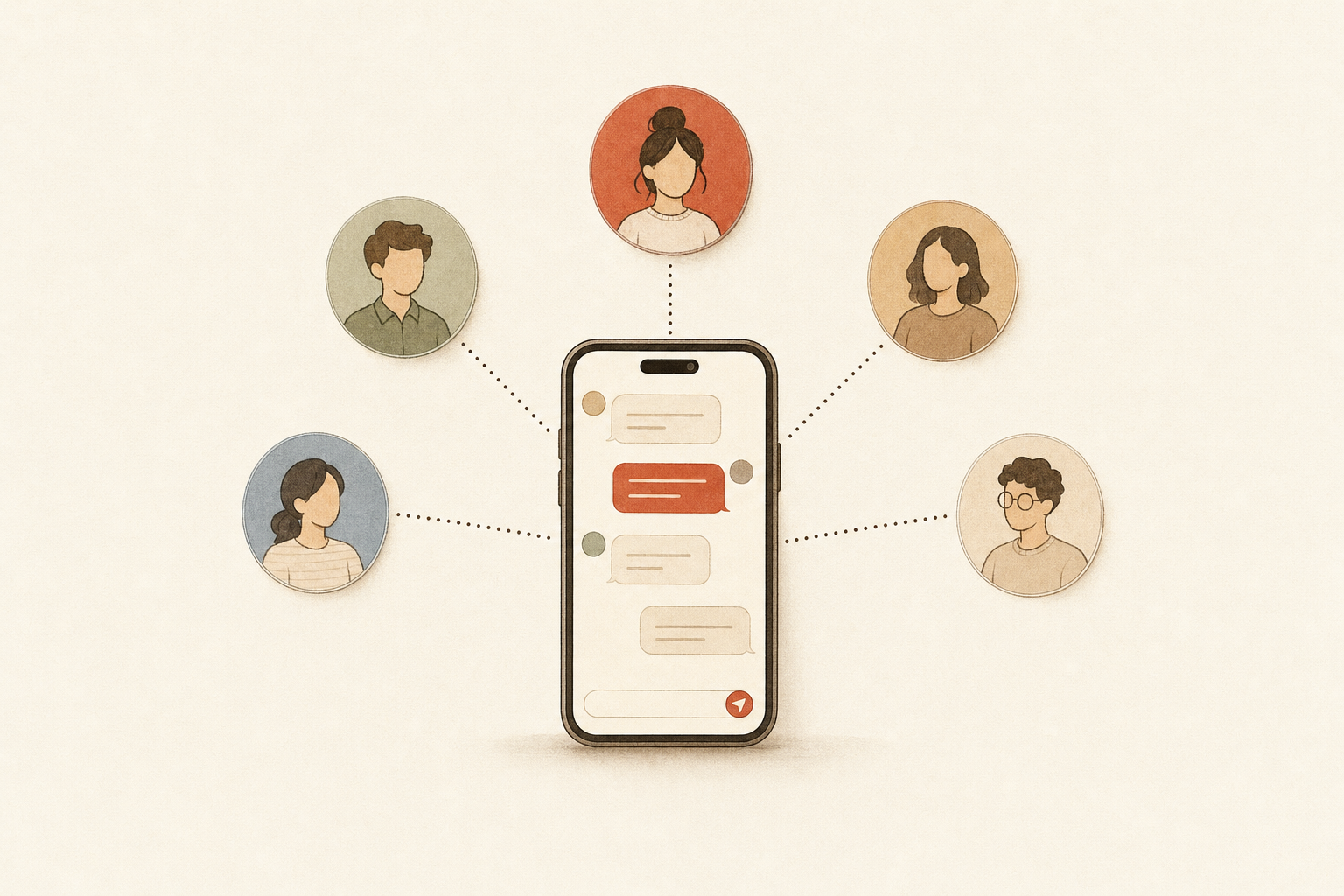
You can now build a team of AI assistants inside Sabi: hire a Marketing, Research, Ops, Finance or Sales team member (or one you describe yourself), and each gets its own chat, its own notes and its own recurring work, while you keep texting one Sabi.
It shipped on November 5, 2026, and it's part of Sabi Pro at no extra cost.
What is a team of AI assistants in Sabi?
A team of AI assistants in Sabi is a set of named team members, each with one job, that work behind Sabi. Sabi stays your lead assistant and the one number you text. Your team members sit next to her on the web, each focused on one part of the business.
Every team member gets four things of its own:
- Its own chat on the web, so the Marketing conversation never gets buried under your calendar and inbox requests.
- Its own notes. What you tell a team member stays with that team member. Facts about your business that you've given Sabi are shared with everyone.
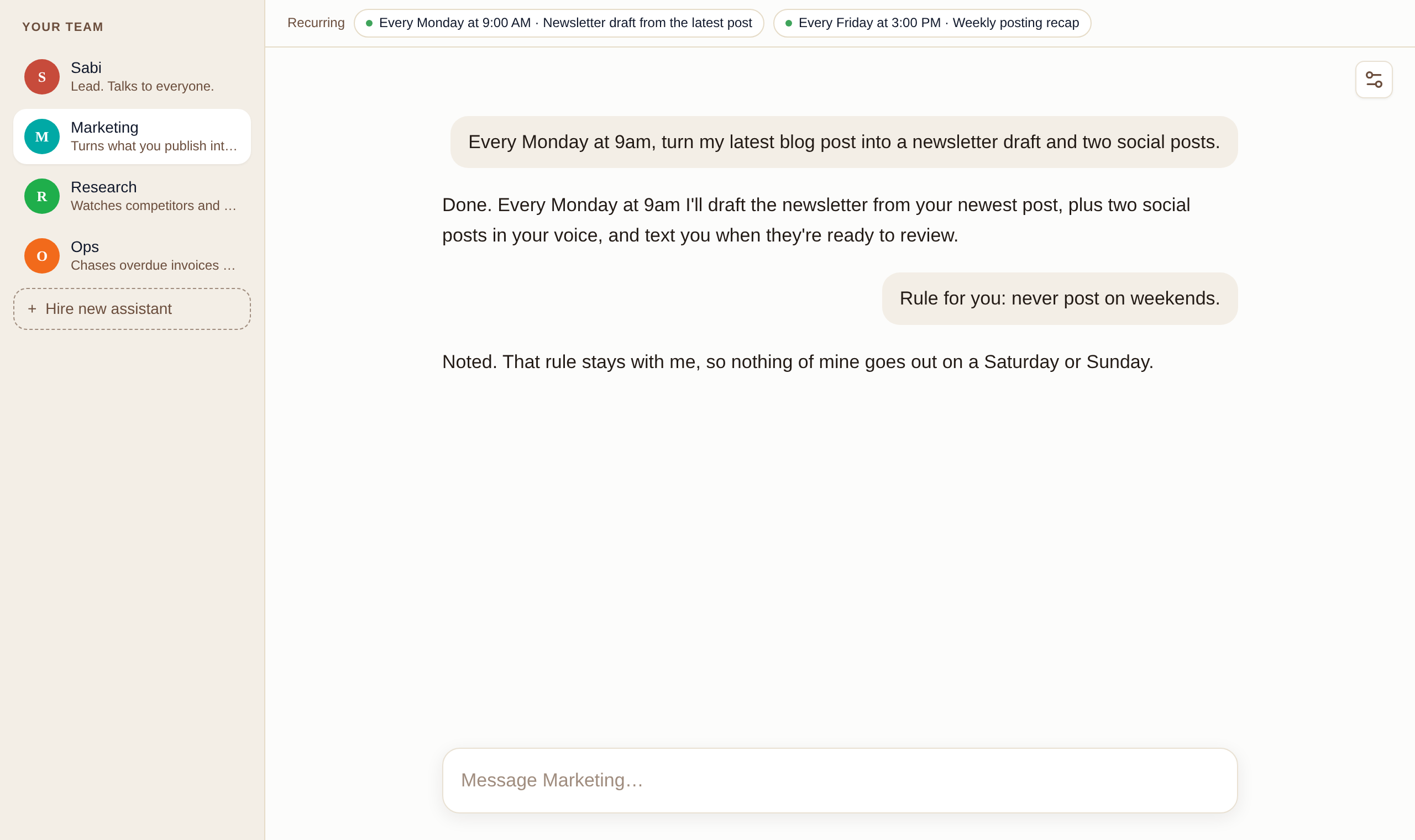
- Its own routines. Recurring work you set up in a team member's chat belongs to that team member and shows at the top of its chat.
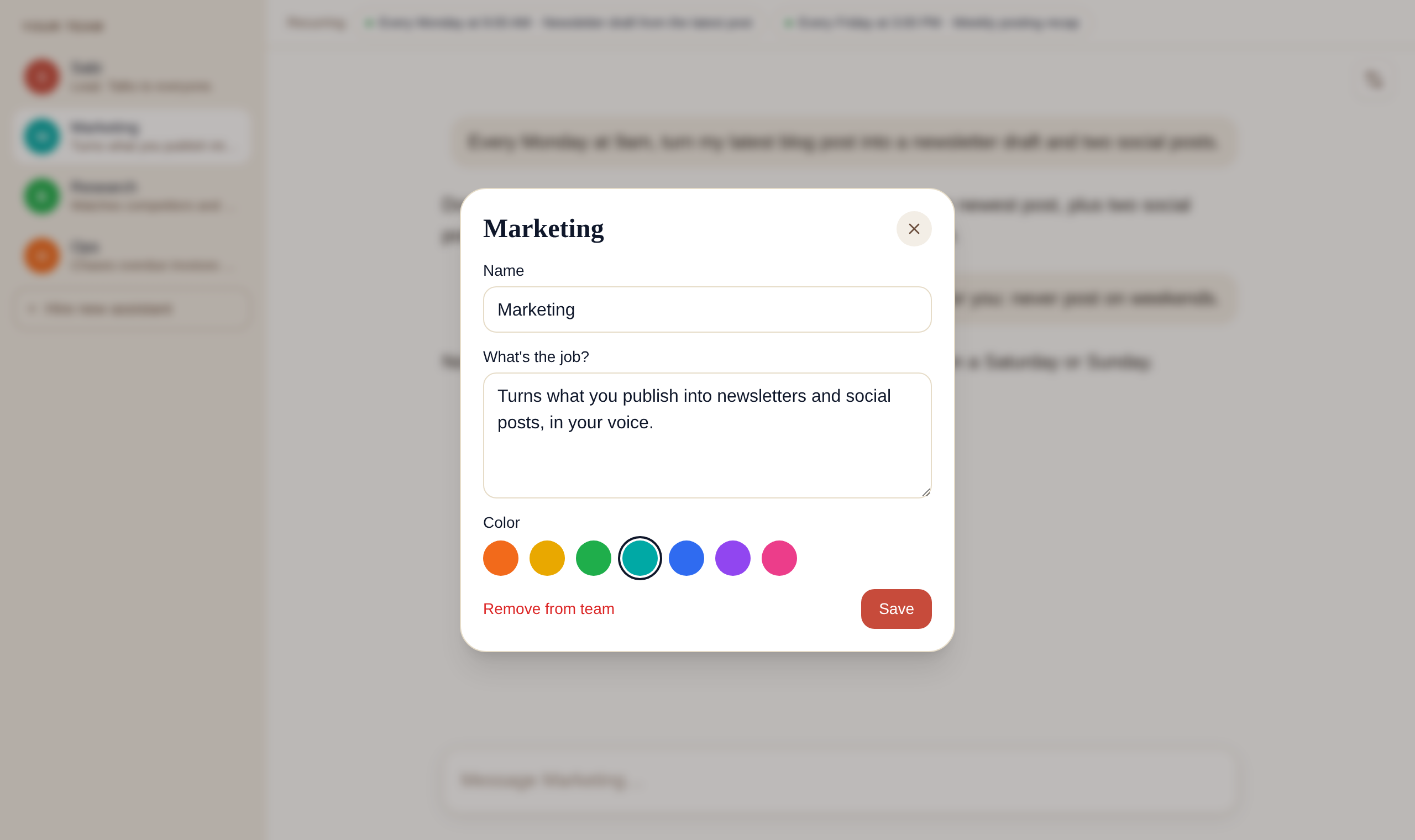
- Its own name and color. Call it "Marketing", "Jess" or "ig posts". Names show exactly as you type them.
Sabi with a team is still one assistant you text, now with dedicated helpers for each part of your business.
Why split the work across several AI assistants?
Splitting work across focused assistants keeps each job clean: one place for each kind of work, one set of notes, one list of routines. Small teams are moving the same way. An August 2026 analysis found that small teams are moving away from the idea of one super-assistant that does everything, shifting to a manager plus specialists with narrow handoffs.
Unite.AI describes the same shape for business: a primary coordinator working with smaller experts, each specialized in a domain like finance or marketing, much like departments in a company. That's exactly the layout Sabi uses. Sabi is the coordinator. Your team members are the departments.
Here's what we saw before building this. Founders who use Sabi hard pile three, four or five recurring jobs into one conversation. The newsletter draft sits next to the invoice reminder, next to the competitor digest. It works, but it's noisy, and it's hard to see what's running for which part of the business.
A focused team member answers one question well: what is this part of my business doing for me this week?
How does Sabi decide which team member does the work?
Sabi routes work by name and by job. When you text "have Research look into my top three competitors", Sabi hands the request to Research, waits for the answer, and texts it back in her own words. When a request plainly fits a team member's job, she passes it along even if you don't name anyone.
You can also skip Sabi and talk to a team member directly in its own chat on the web. That's the best place to shape how it works: give it a rule, correct its tone, or set up a weekly routine.
When a team member's routine runs and sends you something by text, the message opens with its name, like "From Marketing: your newsletter draft is ready." You always know who did the work.
In Sabi, you text one assistant, and she knows which team member to ask.
What can each team member remember?
Each team member keeps its own private notes. If you tell Marketing "never post on weekends", that rule applies to Marketing. Sabi and your other team members don't pick it up, and they won't bring it up in their own work.
Account facts work the other way. Your business name, your offers, how you like to be addressed: everything Sabi already knows about you is available to the whole team, so a new hire doesn't start from zero. When a team member's rule and an account rule disagree, the account rule wins.
Private notes per team member, shared facts for the whole team: that split keeps one job's rules from leaking into another.
How do you hire a team member in Sabi?
You hire a team member from the web chat in about a minute. Open your chat at meetsabi.com and look for the "Your team" list on the left, with Sabi at the top. Under your team, click Hire new assistant.
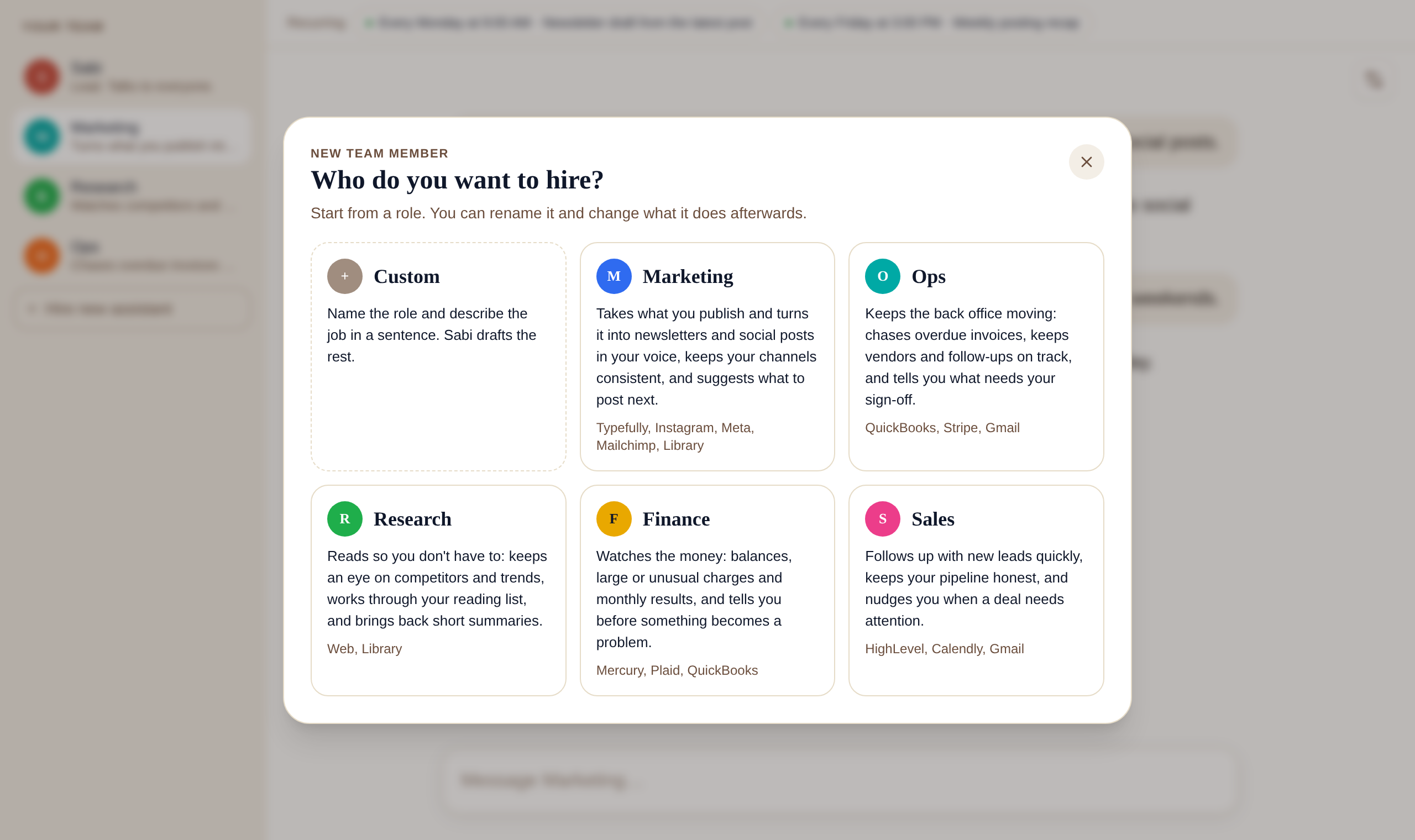
The picker gives you six ways to start:
- Custom. Give it any name and describe the job in one sentence. Sabi works out the rest.
- Marketing. Turns what you publish into newsletters and social posts in your voice.
- Ops. Chases overdue invoices and keeps vendors and follow-ups on track.
- Research. Watches competitors and trends and works through your reading list.
- Finance. Watches balances, large charges and monthly results.
- Sales. Follows up with new leads and keeps your pipeline honest.
Pick one, name it whatever you like, choose one of seven colors, and hit Hire.
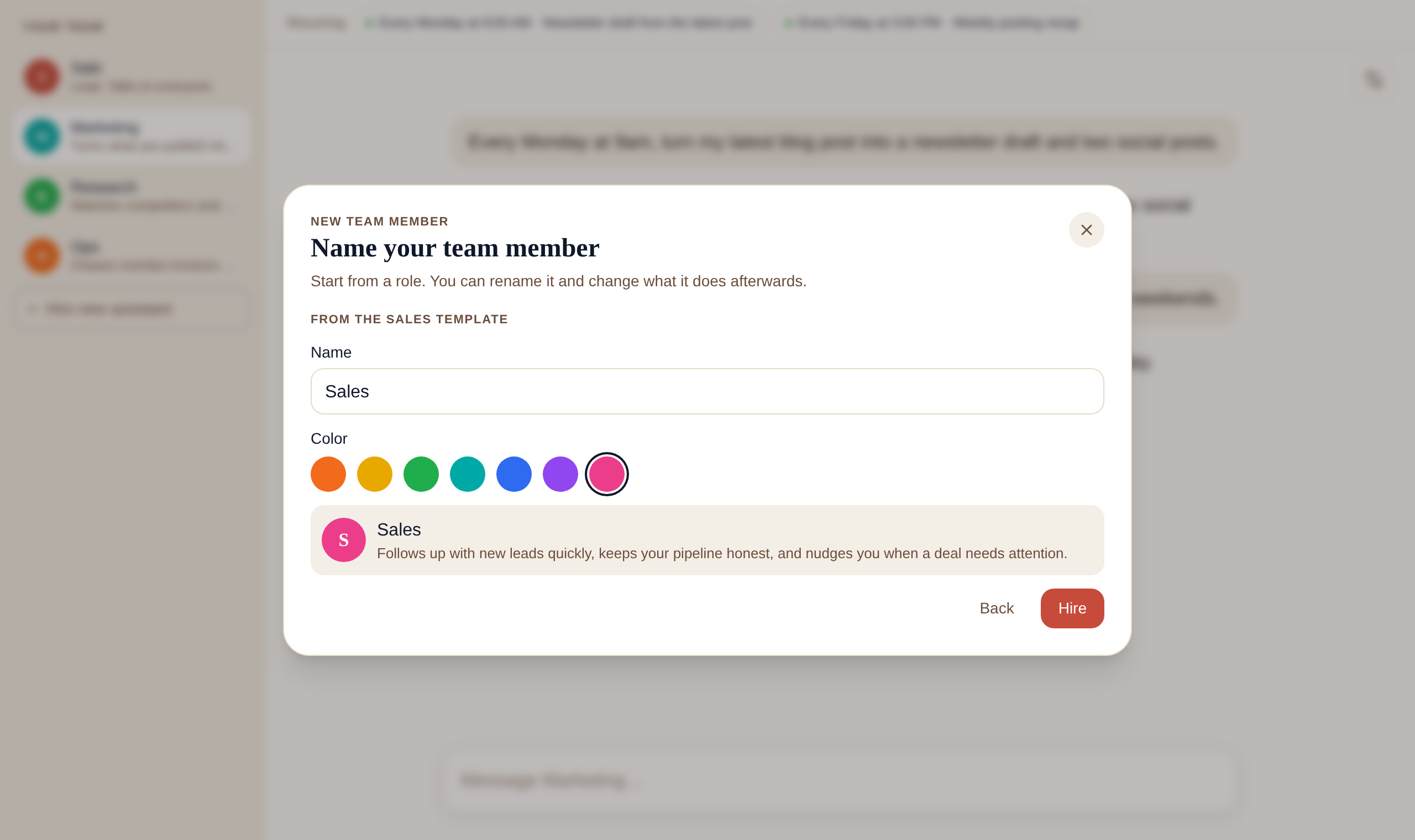
Its chat opens right away. You can rename it, change its job, change its color or remove it later from the settings button in its chat.
If you want more ideas for the jobs worth handing off first, our guide to using Sabi as an AI chief of staff is a good place to start.
Hiring a Sabi team member takes one click, a name and a sentence about the job.
How to set up your first AI team member: step by step
- Pick the job you repeat most. Look at your week and find the task that comes back every Monday or every Friday.
- Write the job in one sentence. "Turns my blog posts into a newsletter and two social posts" beats "helps with marketing".
- Hire from a template or Custom. Start from the template closest to that sentence, then edit the name to whatever you'll remember.
- Give it one routine. In its chat, ask for the recurring work in plain words, like "every Monday at 9am, draft a newsletter from my latest post". Sabi confirms the schedule the same way she confirms any task.
- Correct it once, in its own chat. Tell it the rule you'd tell a new hire. The rule stays with that team member.
- Check in from your phone. Text Sabi "how's Marketing doing this week?" and she'll ask and report back.
We call this the One Job Rule: every team member gets one job you can say in one sentence. If you can't say it in a sentence, it's two team members or it belongs with Sabi.
Common mistakes with a team of AI assistants
- Hiring five on day one. Start with one team member and one routine. Add the second when the first runs without you touching it. Even guides that champion multi-assistant setups warn that more agents means more moving parts and more places for a small error to travel.
- Vague jobs. "Helps with the business" breaks the One Job Rule. A team member with a fuzzy job behaves like a second Sabi, and then you have two of the same thing.
- Expecting Sabi to know a team member's private rules. Notes are private by design. If a rule should apply everywhere, tell Sabi, not the team member.
- Duplicating routines. If Sabi already runs your Monday digest, don't set the same digest up again under Research. Move it by asking Research for it and cancelling Sabi's.
- Treating team members as separate apps. They are not new logins or new phone numbers. Everything still lives in your one Sabi account.
What are the limits today?
The team lives on the web today. On your phone you text Sabi, and she brings in the right team member; you don't text a team member directly. Coming soon: your team is coming to the Sabi iPhone and Android apps in the next week or so.
You can have up to ten team members. Hiring is part of Sabi Pro. If your plan lapses, the team members you already have keep working, and new hires wait until Pro is back.
The honest trade-off: a team adds focus, not magic, so each team member is only as good as the one job you give it.
FAQ
Q: Does a team of AI assistants cost extra in Sabi? A: No. Hiring team members is part of Sabi Pro. There is no per-team-member price and no new account to manage.
Q: Can I text a team member directly? A: Not yet. You text Sabi, and she hands the request to the right team member and replies with the result. Each team member has its own chat on the web if you want to talk to it directly.
Q: Do team members share what I tell them? A: Each team member's notes stay with that team member. Facts about your business that Sabi knows are shared with the whole team, and account rules win if a team member's rule conflicts with them.
Q: Is the team in the Sabi iPhone and Android apps? A: Not yet. The team is on the web today and is coming to the iPhone and Android apps in the next week or so. Texting Sabi already works with your team from any phone.
Q: How many AI team members can I hire? A: Up to ten. Most founders get the most out of one or two focused team members with one routine each.
Q: What happens to a team member's routines if I remove it? A: Its recurring work moves to Sabi and pauses, so nothing runs by surprise. You can resume it from your task board or delete it.
TL;DR
- Sabi now supports a team of AI assistants: named team members that each own one job, with their own chat, notes and routines.
- You still text one Sabi; she routes work to the right team member and replies in her own words.
- Hire from the web chat with Hire new assistant: Custom, Marketing, Ops, Research, Finance or Sales, any name, one of seven colors.
- Each team member's notes stay private to it, while your account facts are shared with the whole team.
- Up to ten team members, included in Sabi Pro, on the web today with the iPhone and Android apps coming in the next week or so.
- Follow the One Job Rule: one team member, one job, one sentence.
Want to see it on your own business? Meet Sabi and hire your first team member in about a minute.