Do More With Less Challenge Day 1 Recap: Meet Your AI Assistant

Posted by
Latest Posts
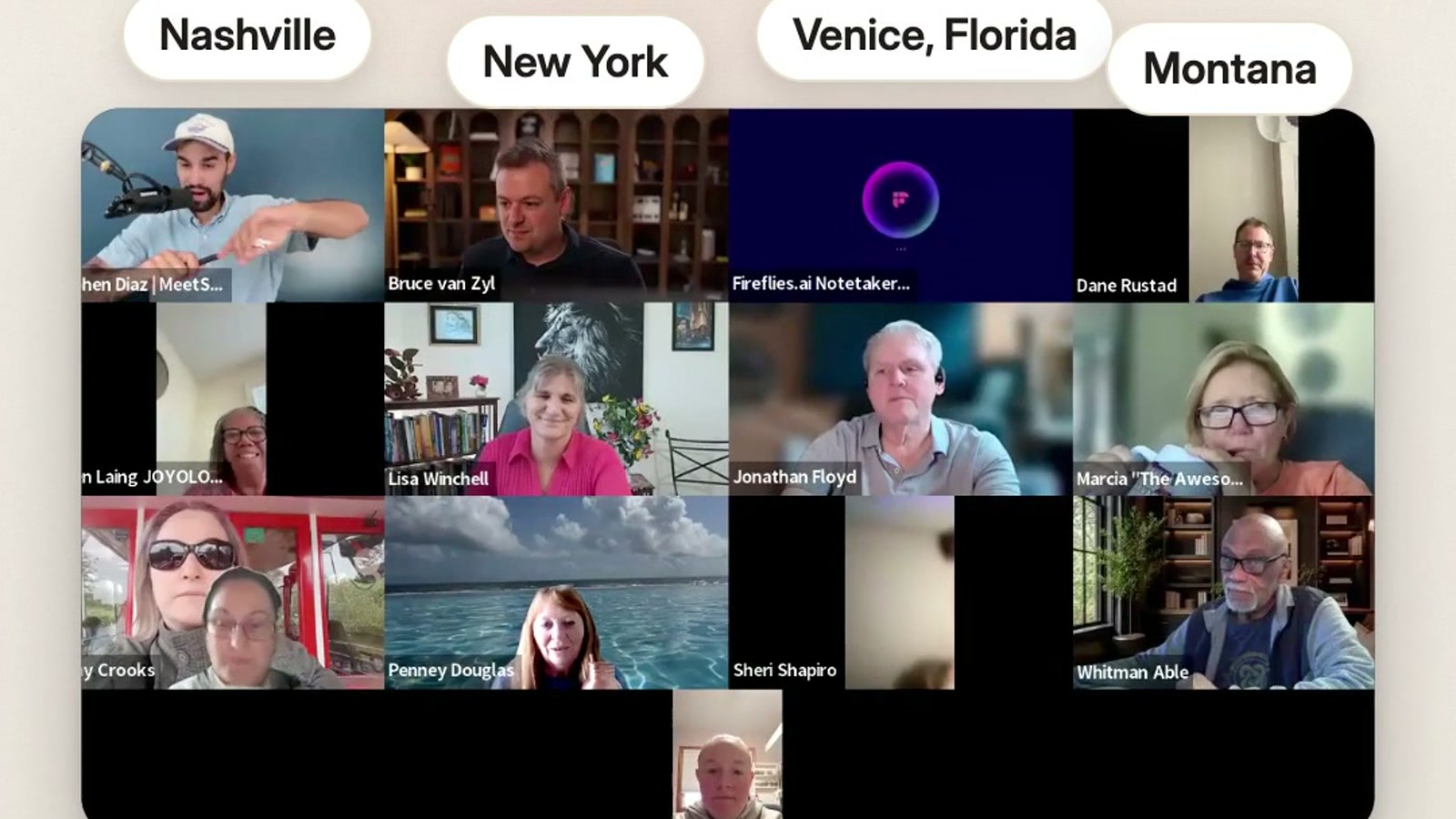
Day 1 of the Do More With Less Challenge took a room of business owners from "I've tried AI" to a working AI executive assistant in about an hour. We gave her a voice, hands, a schedule, a brain, and a writing style, and people were texting her real work before we hit Q&A.
This is the recap: what we taught, why it matters, and what members did with it on the call.
What is the Do More With Less Challenge?
The Do More With Less Challenge is a free, four-day live workshop series where business owners set up and deploy their first AI executive assistant. It is a working session, not a talk: every day ends with something running in your business.
The week covers four themes. Day 1 is getting connected and getting AI to sound like you. Day 2 is your calendar and designing your dream week. Day 3 is marketing and finding more customers. Day 4 is a bonus day on social media and content.
I promised the room three things for the week:
- A high-ROI skill set. Even if you never use Sabi, you leave knowing how to work with any AI tool.
- Your first AI employee, working. A real assistant taking real tasks off your plate this week.
- A second brain for your business. One organized place that remembers everything, connected to your tools.
A member named Andrew put it better than I can after an earlier challenge: "I've paid $35,000 for coaching, and what I got this week for free was worth more."
Why does AI feel harder than it should in 2026?
AI feels hard because most people are still using it the 2024 way: hunting for the perfect prompt. AI is smart enough now that you don't need to be a prompt engineer to get great results.
We walked through how fast this moved:
- 2024 was the year of prompts. AI was a thinking partner. You asked, it answered, and the quality depended on how well you asked.
- 2025 was the year of vibes. AI became a creative partner. People made graphics, pages, and even children's books with it. Two members in our community finished books that week.
- 2026 is the year of agents. AI started doing things, not just answering. I had an AI agent list my car across five sites and handle the buyer messages.
- Late 2026 into 2027 is the year of the personal assistant. AI becomes a teammate that knows your business and takes tasks off your plate.
If anyone is still selling you a prompt pack in 2026, they're teaching you old stuff.
What problem is an AI executive assistant actually solving?
An AI executive assistant solves the squeeze most owners feel right now: too many tools, too little time, and a nagging sense of falling behind. We called it the great compression, and the chat lit up when we named it.
Overwhelmed and oversubscribed. For ten years we added tools to work smarter. Now keeping up with the tools is a job of its own.
Work-life imbalance. Financial pressure on families keeps rising while parents want to be more present. The Bureau of Labor Statistics reports that both parents were employed in 66.3 percent of married-couple families with children in 2025. A lot of you are opening the laptop again after the kids are in bed.
Feeling behind. AI shifted from a tool to a teammate, and people can feel the gap between those using it and those watching.
An AI executive assistant like Sabi exists for the owner who is the bottleneck in every email, follow-up, and calendar decision, and who wants hours back without hiring another person.
How do you set up an AI assistant? The 5-Part Assistant Build
You set up an AI assistant the same way you'd onboard a great human assistant: give her a way to talk to you, access to your tools, a routine, a memory, and your voice. We call it the 5-Part Assistant Build, and it's the spine of Day 1.
- Give her a mouth. Sabi works entirely by text, so connecting is one message. Save her as a contact and pin her to the top of your messages. If she's out of sight, you'll forget she exists (my ADHD brain learned that one the hard way).
- Give her hands. Connect your email and calendar first. On the call I shared that 88 percent of Sabi users now run their inbox through her. She drafts, you approve, and nothing sends without your yes.
- Give her a schedule. Put her on a recurring task: a morning brief, a weekly date-night idea, a subscription watch. The task board shows ideas she suggests, work in progress, things waiting on you, and everything she's finished.
- Give her a brain. Upload what you already have to the Library, and let Memories fill in on its own. My Sabi holds 3,000+ memories, organized by companies, people, and projects, and I never organized any of it.
- Give her your style. Text "create my voice profile" and she'll learn how you write from your website, past writing, or a short interview. Then she drafts in your voice, not in generic AI slop.
The quotable version: the 5-Part Assistant Build is mouth, hands, schedule, brain, and style, in that order, because each step makes the next one more useful.
What makes Sabi different from other AI assistants?
Sabi is different because she learns you, you own your data, and there are humans behind her. Those were the three reasons I gave the room for why we built her.
You shouldn't have to learn AI. AI should learn you. You don't learn new software with Sabi. You connect her to your tools and she studies your business overnight in what we call the night shift, so she's more useful the next morning. That's where the name comes from: in Japanese aesthetics, sabi is tied to the grace that comes with age and use, like weathered wood or a well-loved leather wallet.
Your data stays yours. I learned this one the hard way. Our last company grew an Instagram account to 750,000 followers, then lost it to an automated takedown and never got it back. Our revenue was cut in half overnight.
So I'm careful about handing my business to a company whose model is advertising: Meta's own 10-K shows advertising is roughly 97 percent of its revenue. With Sabi you can export your brain whenever you want. Our security page spells out how your data is handled.
Half AI, half human. We call Sabi a hybrid assistant. If something breaks, you tell Sabi, it goes to a real person on our team, and she texts you when it's fixed. Pro members also get a weekly live call where we solve real business problems together.
What did members do on Day 1?
Members connected their tools, briefed their assistant, and shared wins before we even got to Q&A. A few that stood out:
- Sheri couldn't get Sabi to see her Zoom meetings. She asked Sabi why, got step-by-step instructions, fixed it, and then set up a task where Sabi texts her each night with tomorrow's Zooms and pings her five minutes before each one.
- Elizabeth wrote in the chat: "I am very cautious so I did a little at a time. She passed every test." On camera she called out the security and the team behind it.
- Penney had Sabi design a t-shirt she's going to make for a customer.
- RoseAllure had never seen the dashboard before Day 1. Her chat during the tour: "Wow, wow, wow!!" then "No way!" then "I like the dashboard!!!"
The chat was the best part of the day. People dropped where they were tuning in from, rated themselves from beginner to AI expert, and called out "Nailing it" when the big ideas landed.
Common mistakes when setting up an AI assistant
The most common mistake is treating your assistant like a search box instead of an employee. Here are the ones we coached people through on Day 1.
- Waiting for the perfect brief. Your first voice note doesn't need to be polished. Send a two-minute brain dump. She'll build from a little and get better with feedback.
- Holding back access. I gave my first human assistant limited access and it cost me time. My second got everything and saved me hours. Start with email and calendar, keep approvals on, and widen from there.
- Not giving feedback. If a draft sounds off, say so, the way you'd correct a new hire. "I wouldn't say 'quick one.' Drop the dash." That's how the voice locks in.
- Living in one more app. You don't need to open a dashboard to get value. My wife has never opened hers. She just texts.
FAQ
Q: Can I still watch Day 1 of the Do More With Less Challenge? A: Yes. The Day 1 replay is on the Day 1 page while the challenge is running. Replays come down after the challenge week, so watch it soon.
Q: Do I need to be technical to set up an AI assistant? A: No. Sabi works by text, and she walks you through each connection herself. Text her "connect my email" and she'll coach you through it step by step.
Q: Will Sabi send emails without my permission? A: No. She drafts and asks first. You approve every send.
Q: Can I use Sabi alongside ChatGPT or Claude? A: Yes. You can import what ChatGPT already knows about you into Sabi, and connect Sabi's brain to other AI tools so they're up to speed without starting from zero.
TL;DR
- Day 1 of the Do More With Less Challenge set up a working AI executive assistant in one live session.
- The 5-Part Assistant Build: mouth, hands, schedule, brain, and style.
- Prompt engineering is the 2024 way. In 2026, AI should learn you, not the other way around.
- Sabi is text-first, you own and can export your data, and real humans stand behind her.
- Members fixed calendar gaps, set up nightly reminders, and designed products for customers on Day 1.
Missed it, or want to follow along step by step? Watch the Day 1 replay here before the replays come down.