Let's Start Freeing Up Your Time (Starting Today)
Live step-by-step with Stephen from the Sabi Team. Every link, prompt, and resource to save you time is on this page.
✦ AI summary with timecodes
DO MORE With LESS Challenge: Day 1 Replay
Bring your AI assistant to life. Stop doing everything yourself. In Day 1, you'll connect Sabi to your business, teach her how you write, and discover practical ways to start taking work off your plate.
- 16:59 · Beyond prompts and chatbots
- Discover the shift from asking AI questions to handing work to a personal assistant.
- 24:37 · AI should learn YOU
- Hear the thinking behind an assistant built to learn your business, not give you another complicated tool to master.
- 31:36 · Meet your new assistant
- Get connected, send your first text, and start talking to Sabi like a teammate.
- 36:03 · The two-minute brain dump
- Use a voice message to introduce yourself, share your goals, and get what's on your mind off your plate.
- 38:45 · Skip starting from scratch
- Learn how to bring context from your other AI tools into Sabi.
- 40:29 · A new way to manage your inbox
- Learn the text-based workflow for reviewing important emails, drafting replies, and approving what gets sent.
- 44:06 · Connect your email step by step
- Follow the setup walkthrough so Sabi can start helping inside the tools you already use.
- 47:30 · Find your business tools in the dashboard
- Explore connections beyond email and calendar, plus the story of a billing issue Sabi flagged before it became a bigger problem.
- 51:12 · Give a task once. Put it on repeat.
- Explore recurring assignments and the task board for tracking ideas, active work, and items awaiting your review.
- 52:36 · Borrow a ready-made workflow
- Browse task templates for property searches, weekly accountability, and turning Zoom calls into blog posts.
- 54:06 · Build a second brain for your business
- Learn where to add your brand guides, documents, and business knowledge.
- 55:32 · See what Sabi is learning about you
- Tour the Memories tab and see how information is organized around your people, projects, and companies.
- 58:24 · Trade generic AI copy for your voice
- Kick off the writing workshop to personalize how Sabi writes your emails, captions, and marketing.
- 59:17 · Create your voice profile
- Use your website, existing writing, or a guided interview to teach Sabi your style.
- 1:00:45 · Fine-tune until it feels like you
- Learn how to give feedback on sample copy so the wording, tone, and rhythm better match your voice.
- 1:01:42 · Your Day 1 action plan
- Turn the training into a few simple handoffs, then test your voice profile by creating a piece of content.
- 1:14:45 · Borrow Sheri's meeting-reminder idea
- Hear how she set up a nightly meeting preview and a five-minute heads-up before calls.
- 1:16:05 · Could you simplify your AI subscriptions?
- Hear where Sabi may replace other tools and why some power users still keep a few specialists.
- 1:22:07 · Beyond the connections list
- Bruce introduces the Pro browser feature for working inside websites, with travel-booking examples and approval checkpoints.
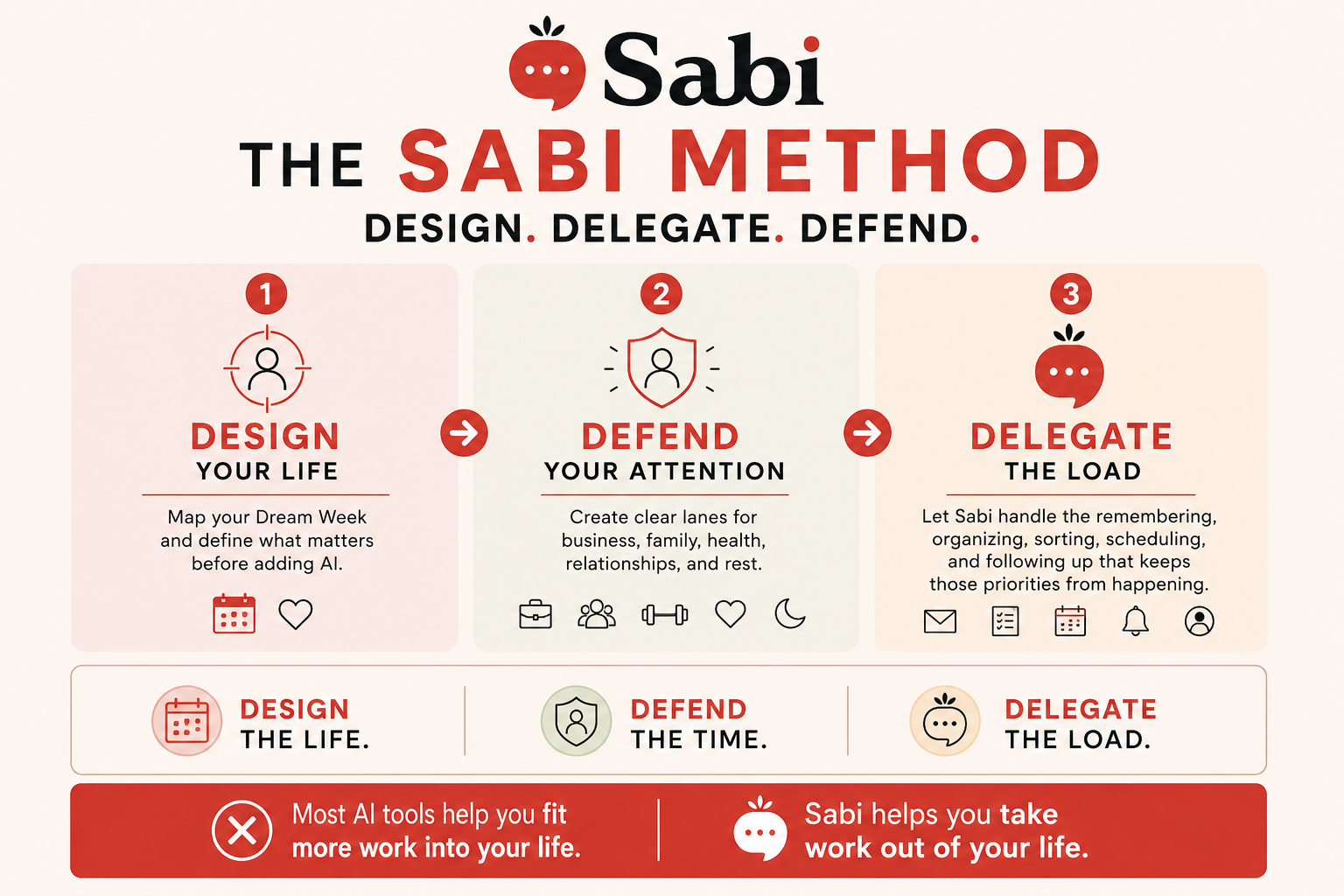
A new way to work
Give Sabi a mouth: start the conversation
Give Sabi hands: put her to work
Give Sabi a schedule: delegate the repeat work
Give Sabi a brain: stop repeating yourself
Give Sabi your style: make AI sound like you
Quick wins + bonus Q&A
Start here: send Sabi a quick introduction, connect your email or calendar, and say "Create my voice profile." Then give her one small task to take off your plate.
The Evolution of AI




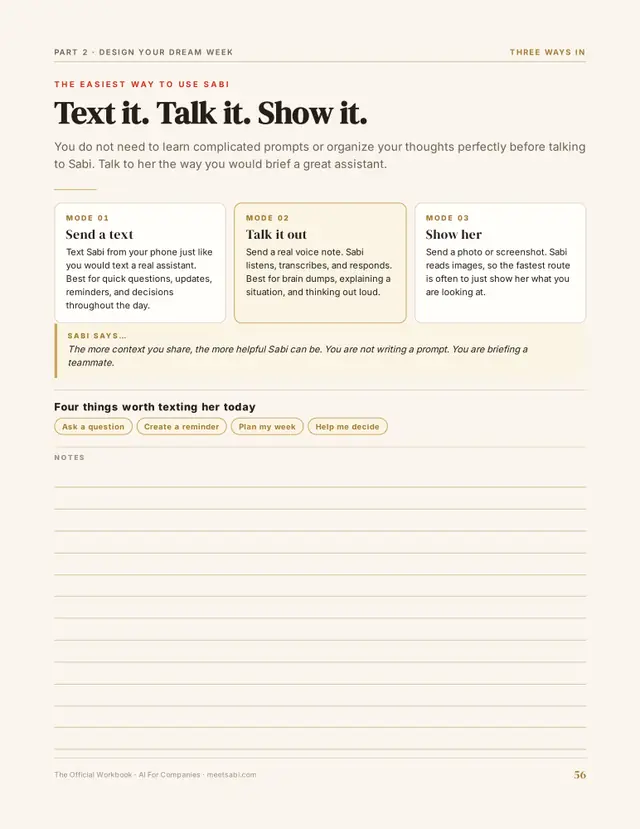
Text Sabi
This is where it starts. Send Sabi a text and she'll take it from there. No checkout. No sign up forms. Just say hi.
Head to MeetSabi.com/connect to get connected to Sabi quick.
Think of this as Sabi doing an unpaid internship at your company. Test her out. See if she's a fit. If you like her, you can hire her when you're ready.
Not sure what to say? Just say "Hi Sabi" and she'll walk you through the rest.

Save Sabi As A Contact
Save her as a contact, pin her to the top of your messages, and give her a face.
Sabi is a Japanese word for the quiet beauty things gain with age, like weathered wood or a well-loved leather wallet.
Your assistant works the same way. Her memory never expires, so she gets better with every conversation, task, and connection.
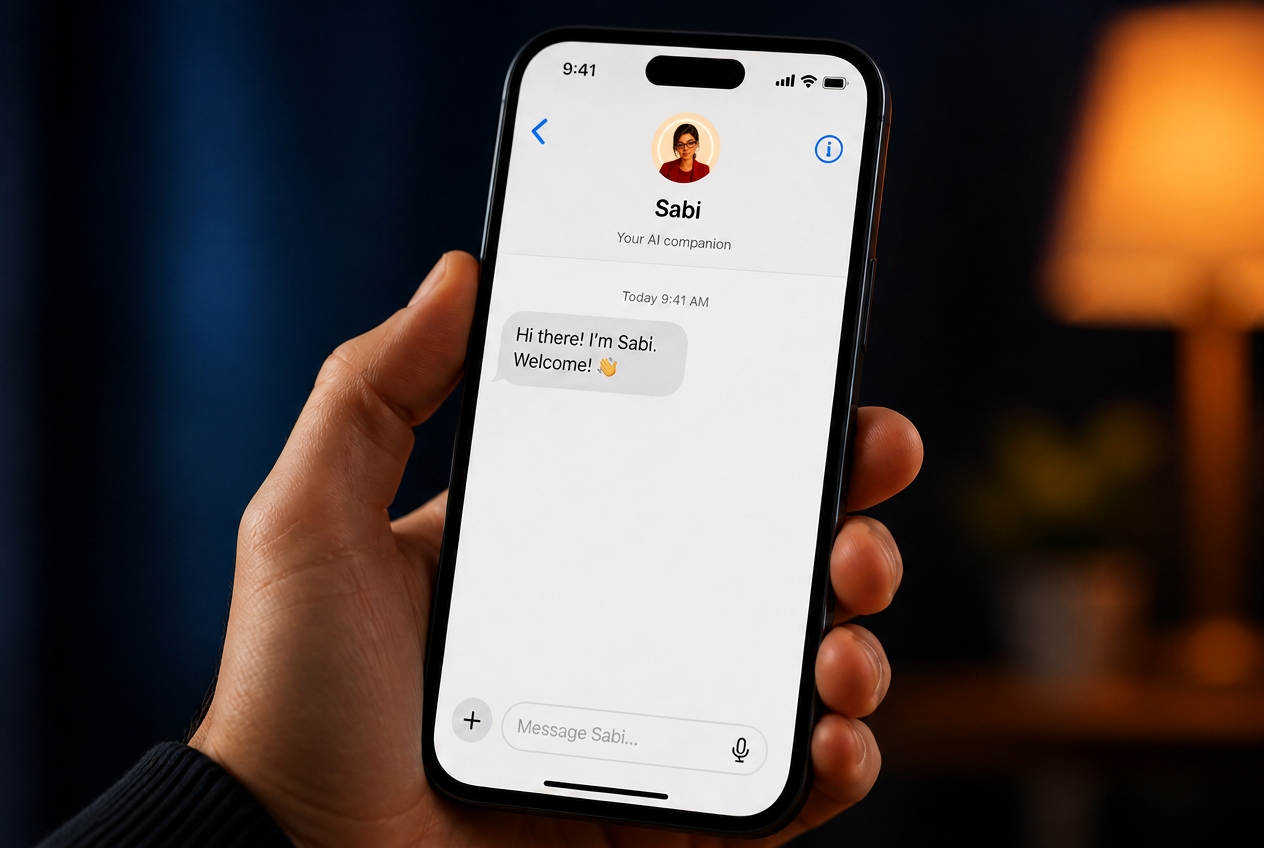
Save the contact in your phone
On iPhone, Sabi sends a contact card you can add in one tap. On Android, add her manually. Save her as Sabi so the habit sticks.
Pin the contact at the top
Having an EA takes a change in thinking. Instead of scheduling that Zoom call yourself, text Sabi a screenshot of the convo and she'll set it up. Instead of doing the research, hand it to her and she'll ping you when it's done.
The pin keeps her in sight, so you delegate instead of slipping back into doing everything yourself.
iPhone
Hard press and hold on the message thread, then select Pin.
Android
Open Google Messages. Press and hold the conversation. Tap the Pin icon at the top.
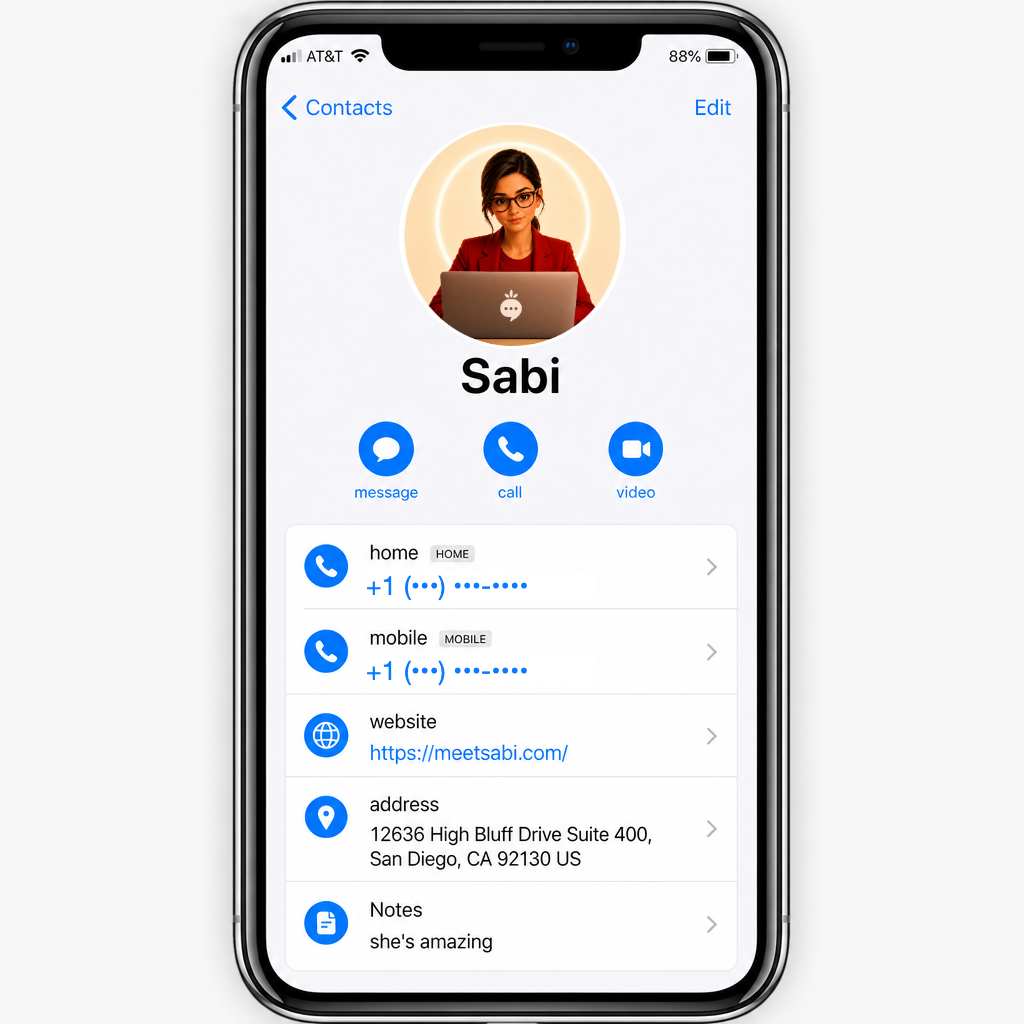
Add a profile photo
Here's our recommended photo for Sabi. Download it and save it to your phone. You can also generate your own.

Save this image to your phone, then set it as Sabi's contact photo. Having a face on the contact makes the delegation feel real.
Want something different? Generate your own version in ChatGPT, Midjourney, or any image tool and drop it in.
Introduce Yourself
Before Sabi starts helping, give her a little context. Under 2 minutes. No long forms.
Option 1: 2-Minute Brain Dump
Send Sabi a quick overview. Type it, or even better, use voice text.
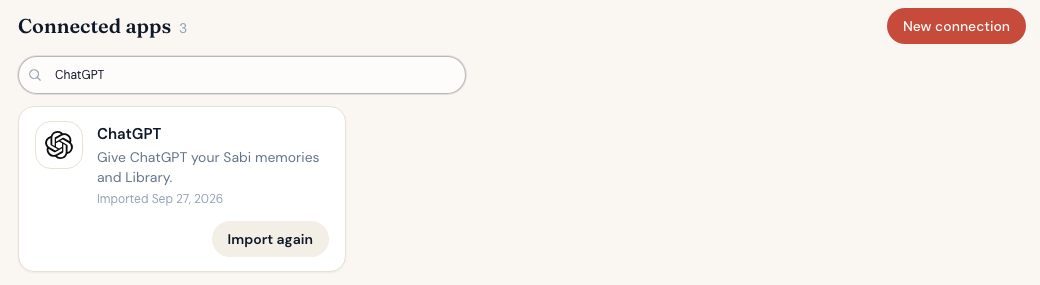
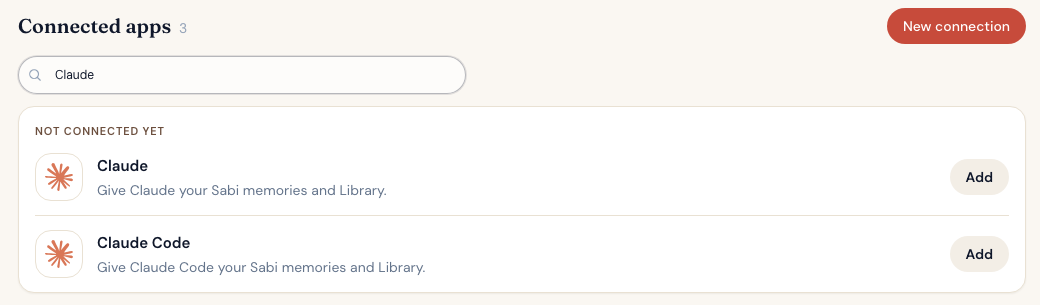
Option 2: Already using ChatGPT or Claude?
Connect it in your Connections tab and Sabi imports what your current AI already knows about you. No prompt, no copy and paste.
- Open meetsabi.com/connections.
- Click New connection and search for ChatGPT or Claude.
- Click Add and follow the steps. Sabi does the import.


Connect Your Calendar & Email
The #1 time saver: connect your calendars and inboxes (yes, more than one). This is what turns Sabi from a chatbot into a teammate who works inside the tools you already use.
While you sleep, she learns your business from those apps and never acts without your permission. Every morning, your Daily Brief flags what needs your attention, right out of the box.
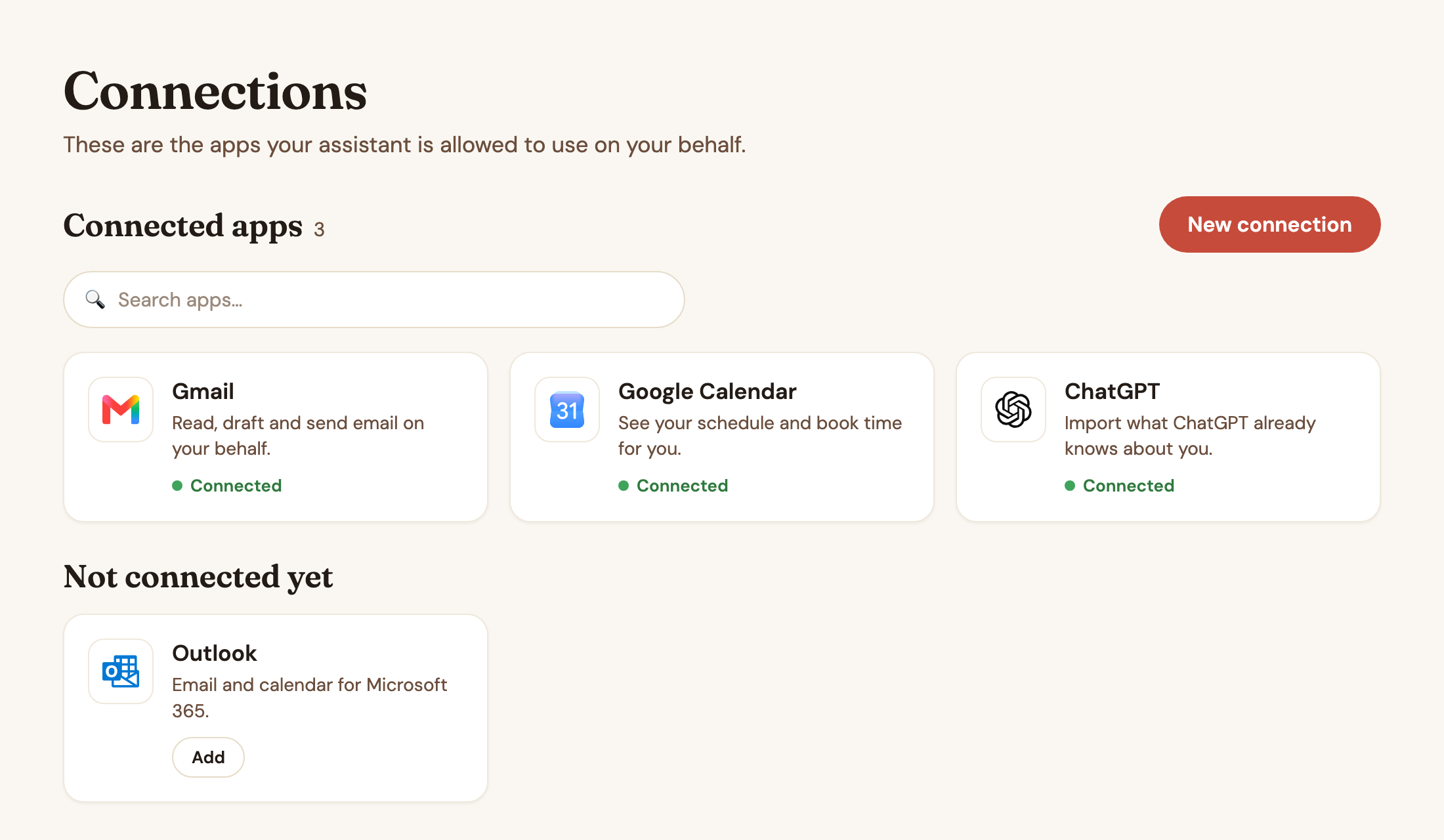
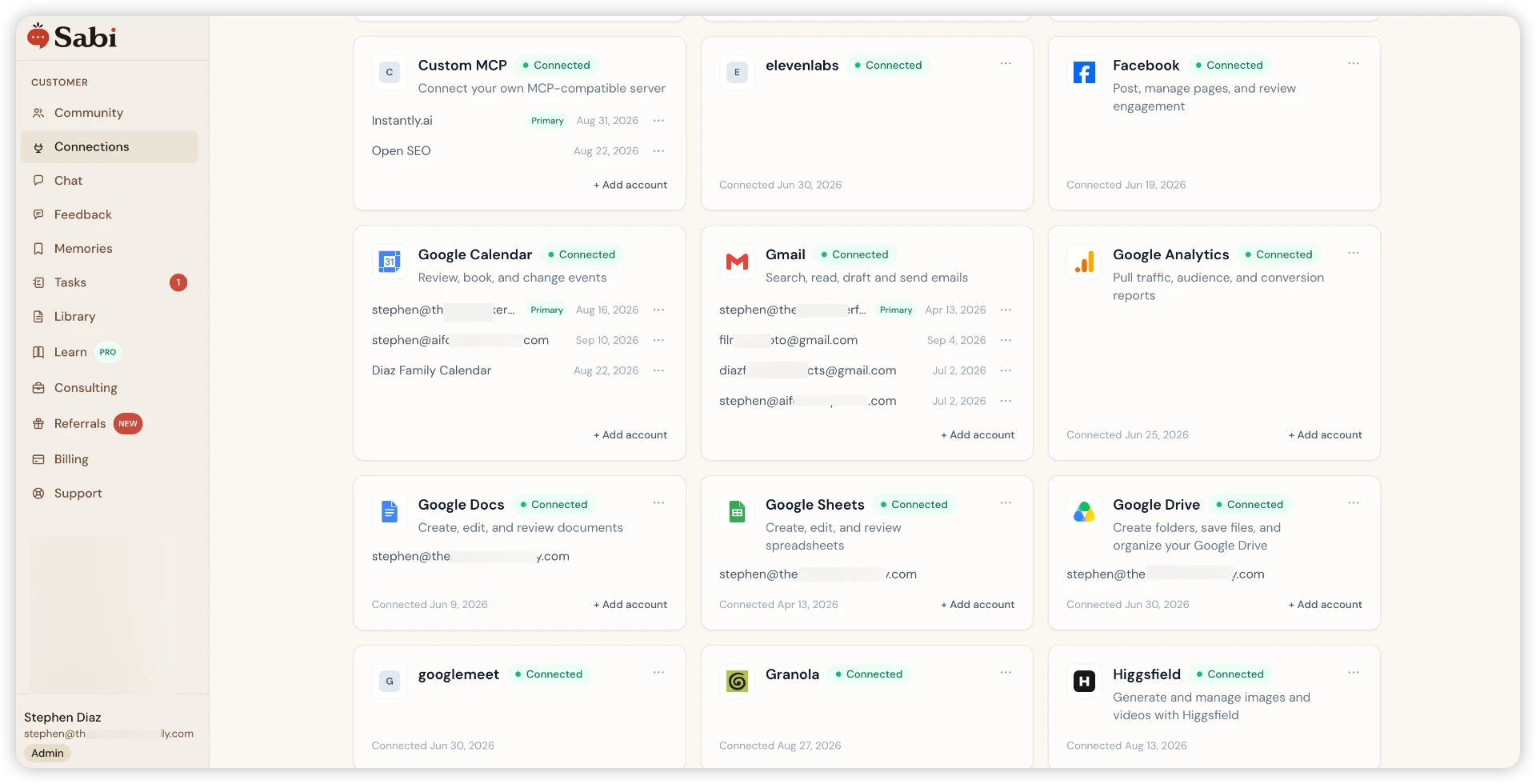
Connections
Connect your email and calendar
Email CalendarOpens in a new tab. Tap Connect there, approve access, then come back here. You can connect as many accounts as you like to manage multiple inboxes with one assistant.
We use Pipedream and Composio (both SOC 2 Type II certified) to connect your accounts. Think of them as secure digital valets. Instead of handing your AI the keys to your whole digital house, they give the agent temporary visitor badges that prove you own the account without ever exposing your password.
Authorize the Connection
You'll see Pipedream's secure handoff screen, then Google's standard sign-in flow.
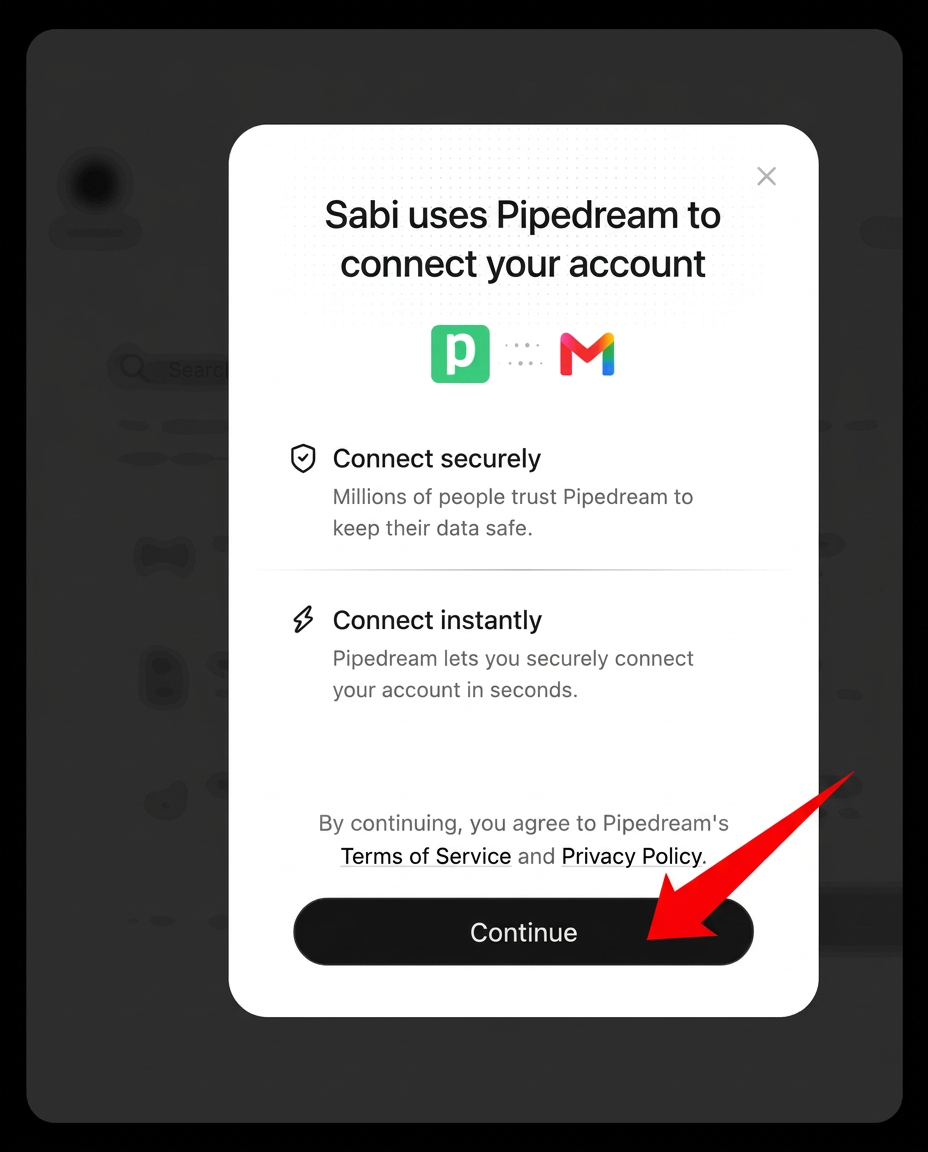
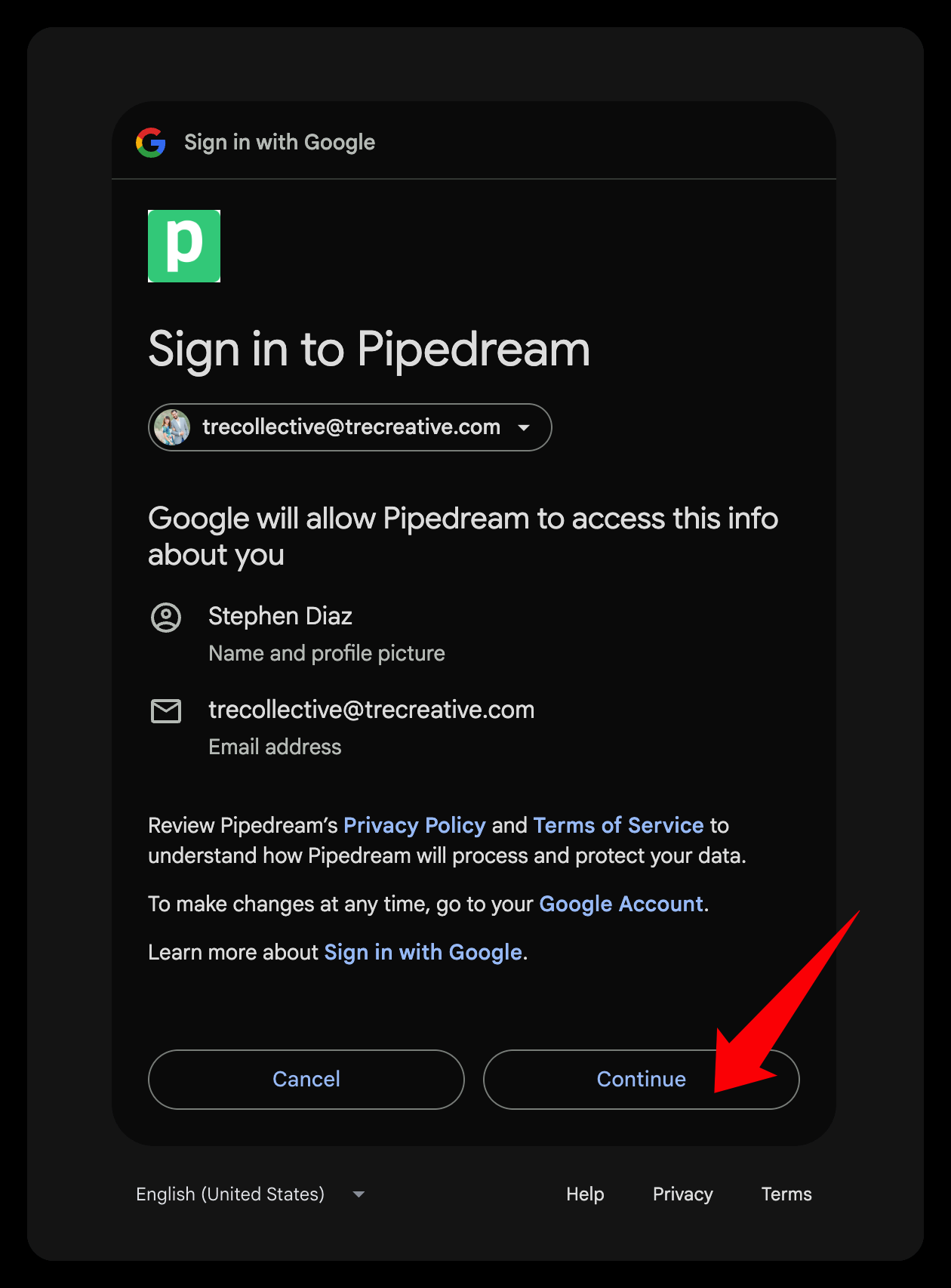
Select ALL Permissions
When you see permission checkboxes, check Select all. This gives Sabi the access she needs to actually be useful. For example, in Gmail, sending email on your behalf (with permission) and managing labels.
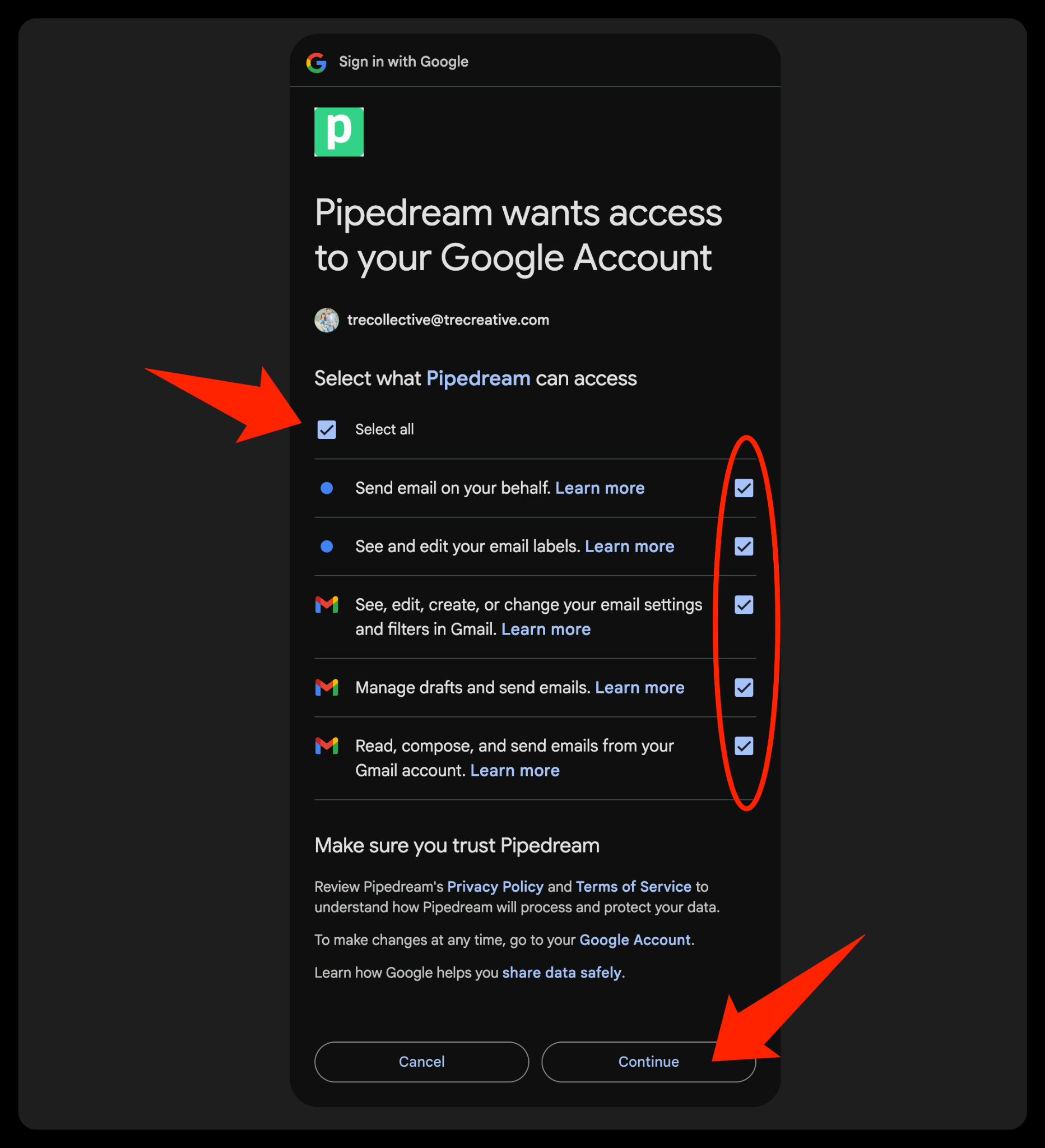
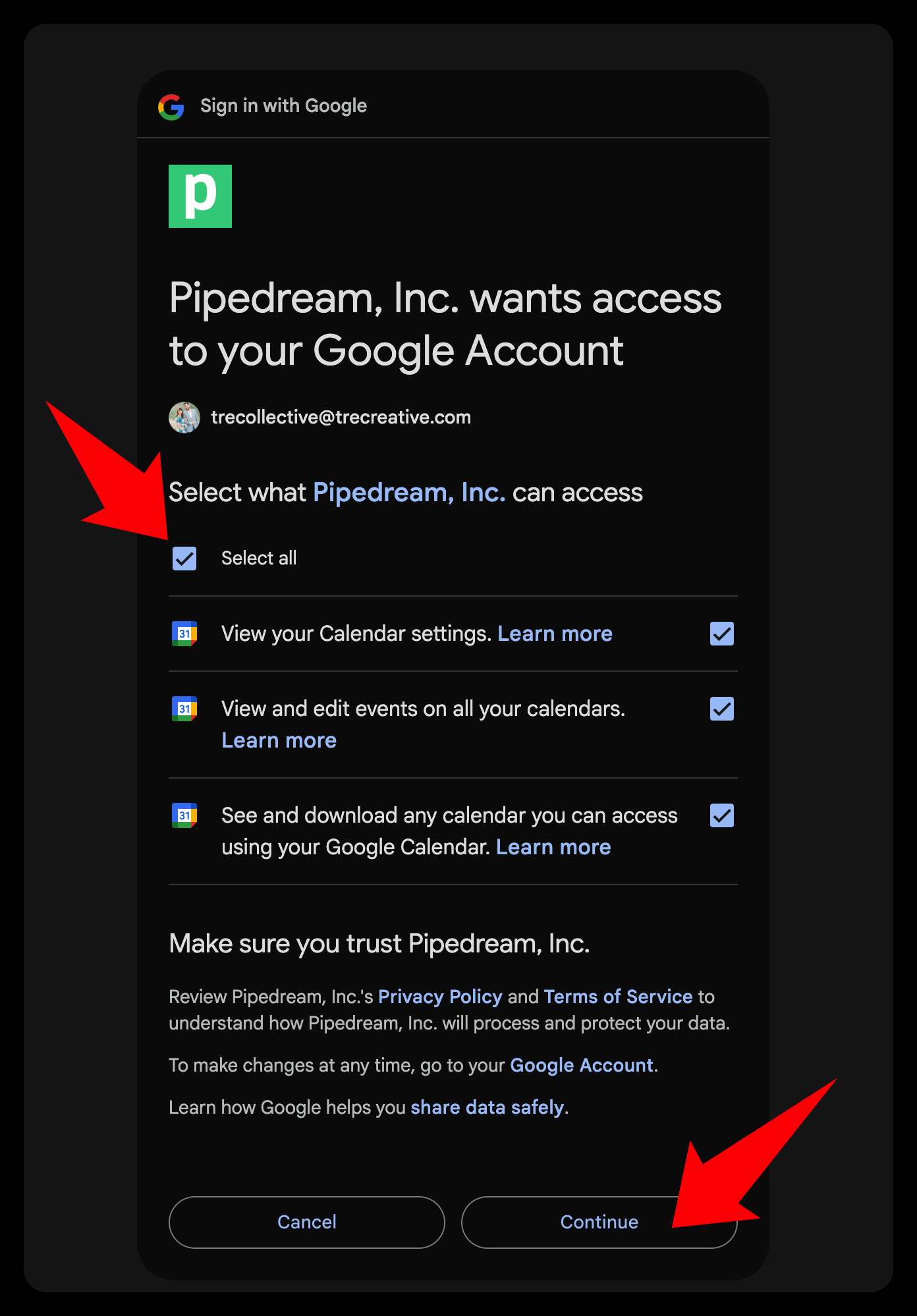
Heads up: look for this "Select all" checkbox on every new tool you connect. It's how you give Sabi full access to help at the highest level.
Confirm It's Connected
You'll see a success screen, then the Continue button on the connections page becomes clickable. Connect at least 2 apps, then move on.
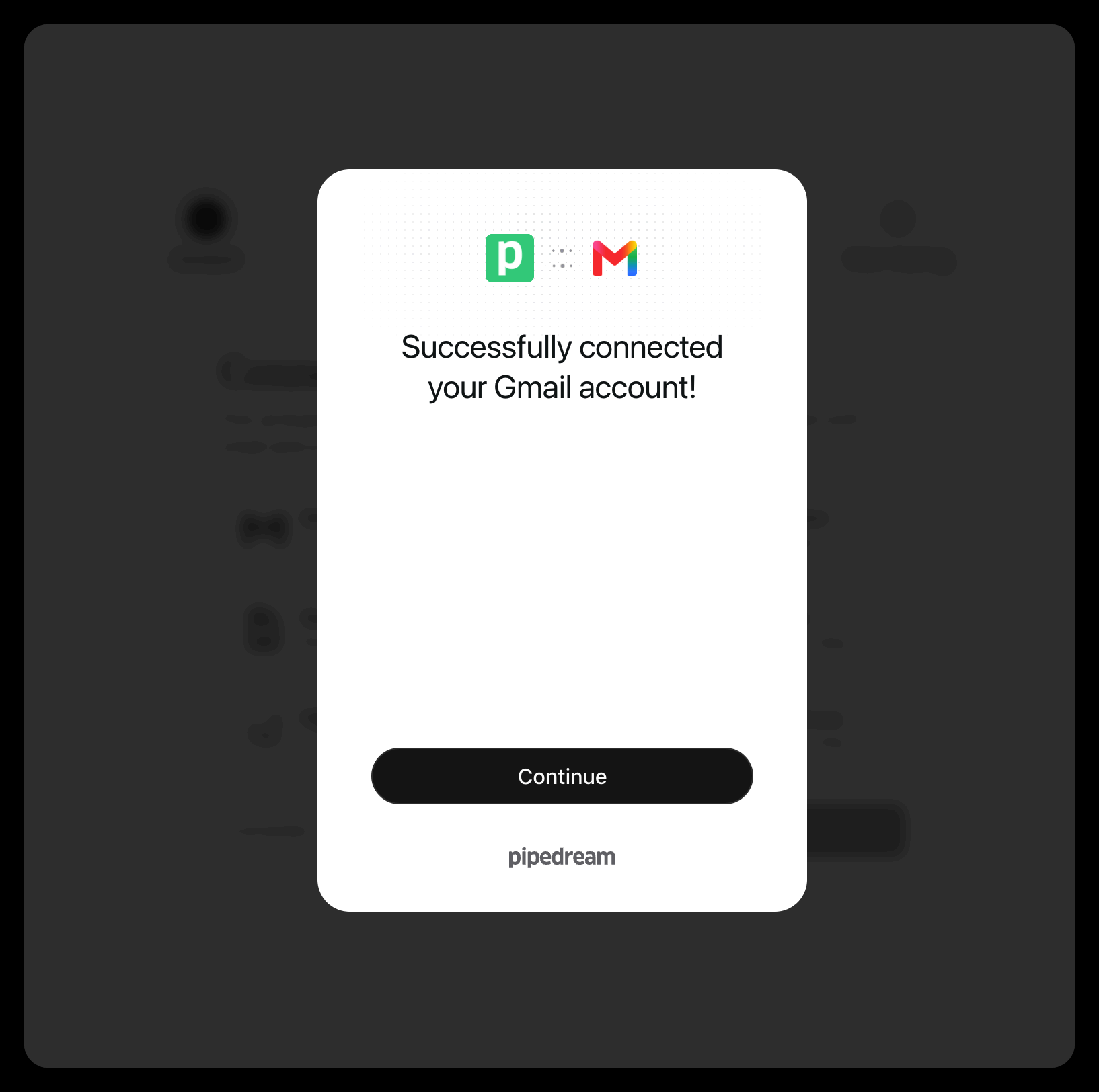
Connected!
Tour Your Dashboard
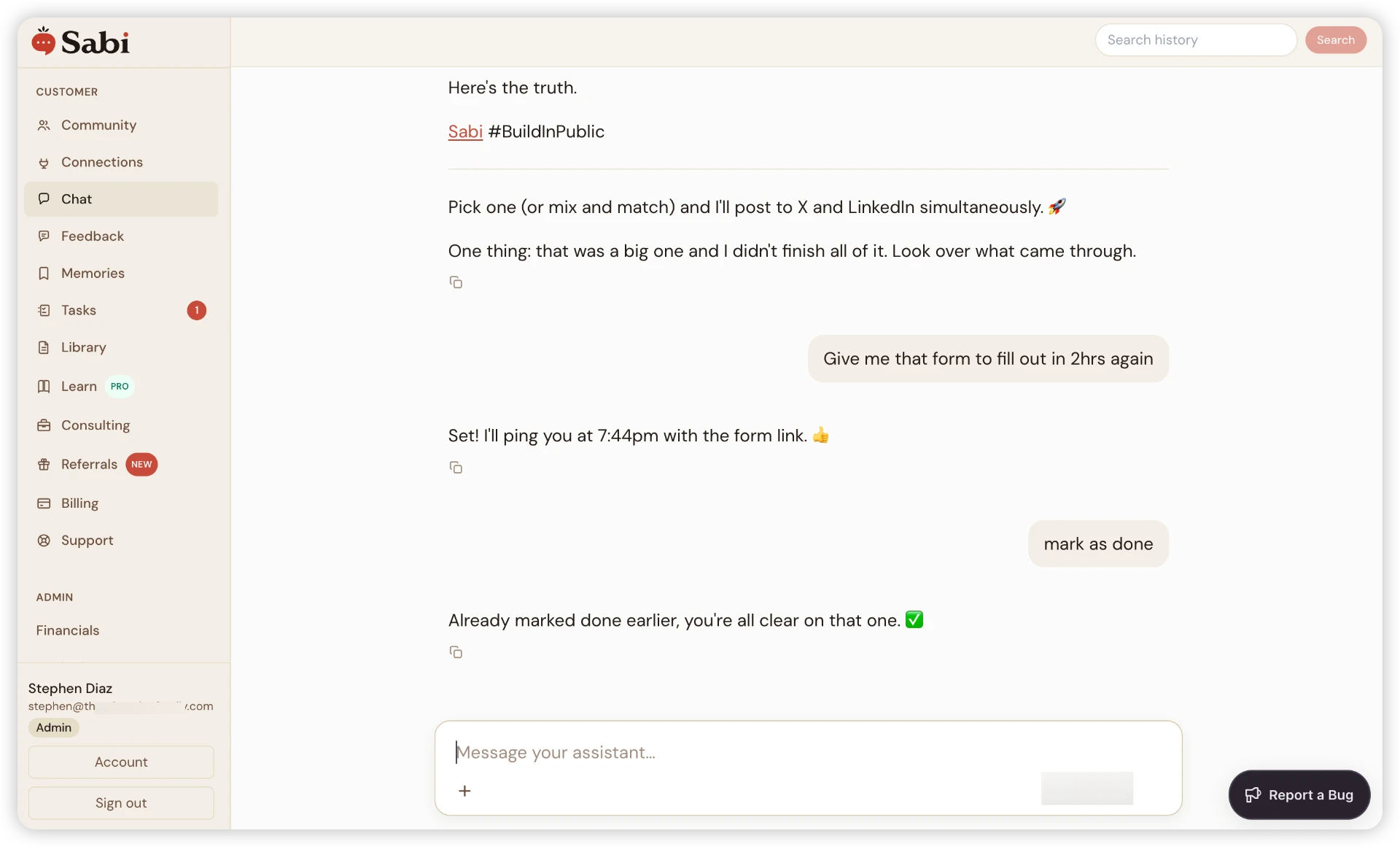
Your home base. Bookmark it, or just text Sabi "send me the link to the dashboard". Everything works from your phone, and the desktop view is great for deeper work sessions.
Your dashboard home base. Save it now. You'll come back here every day.


The Task Board
One of my favorite features. A visual of every bit of work Sabi is doing for you: scheduled, in-progress, and completed.
Here's what a live board looks like. Scheduled tasks, Stephen Review items waiting on you, and completed work, all in one place.
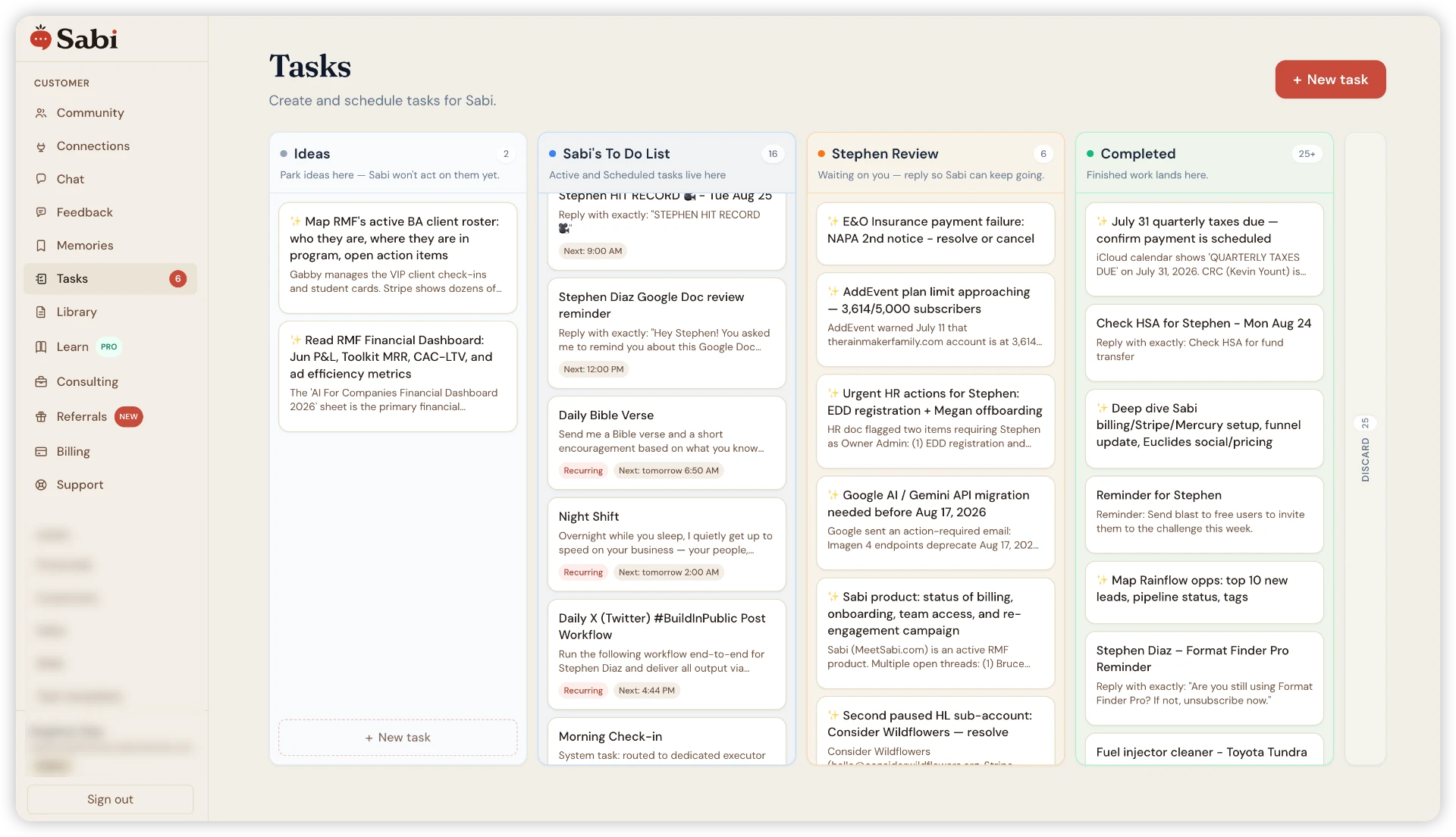
Live task board
While you sleep, Sabi quietly reviews your connections to get to know your business better. No actions are taken without permission. She just gets smarter every night.
Click into any task to see the full brief, schedule, and run history:
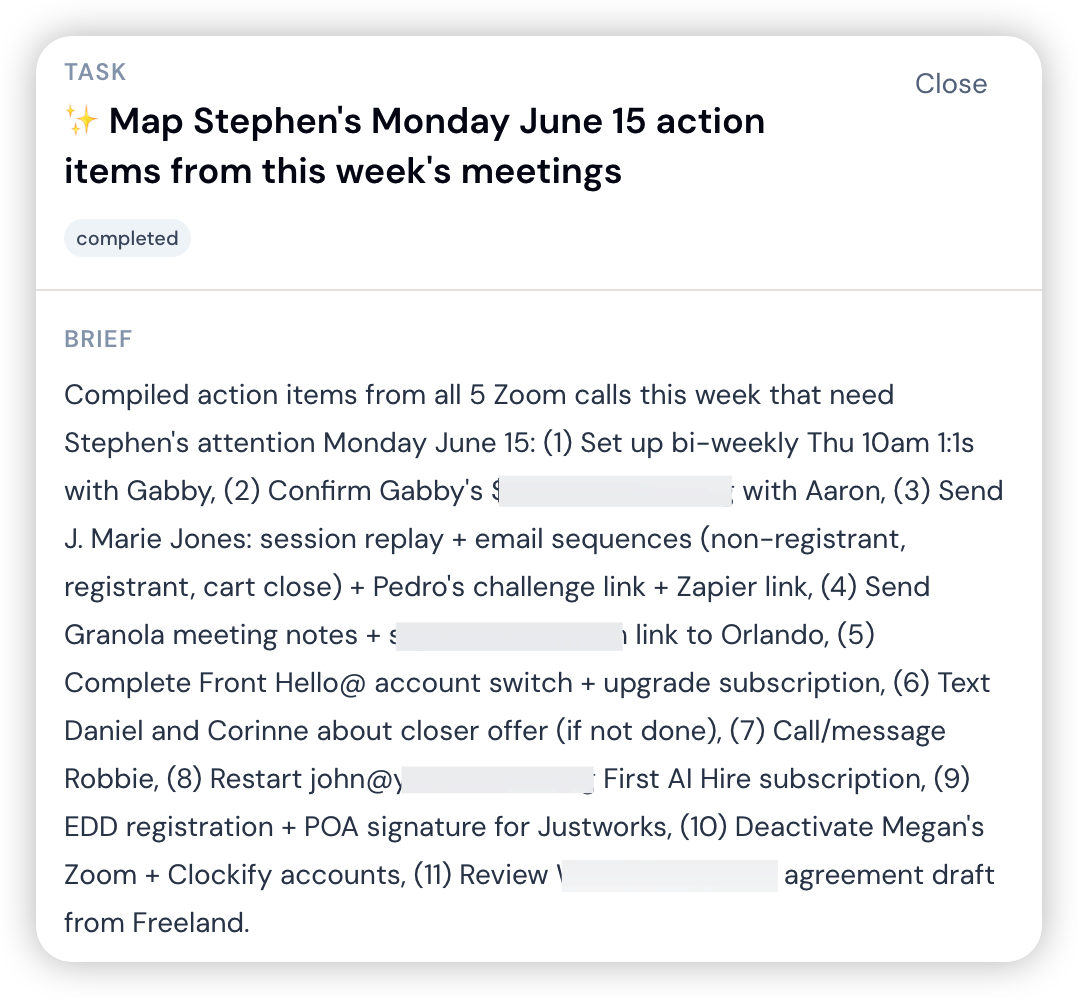
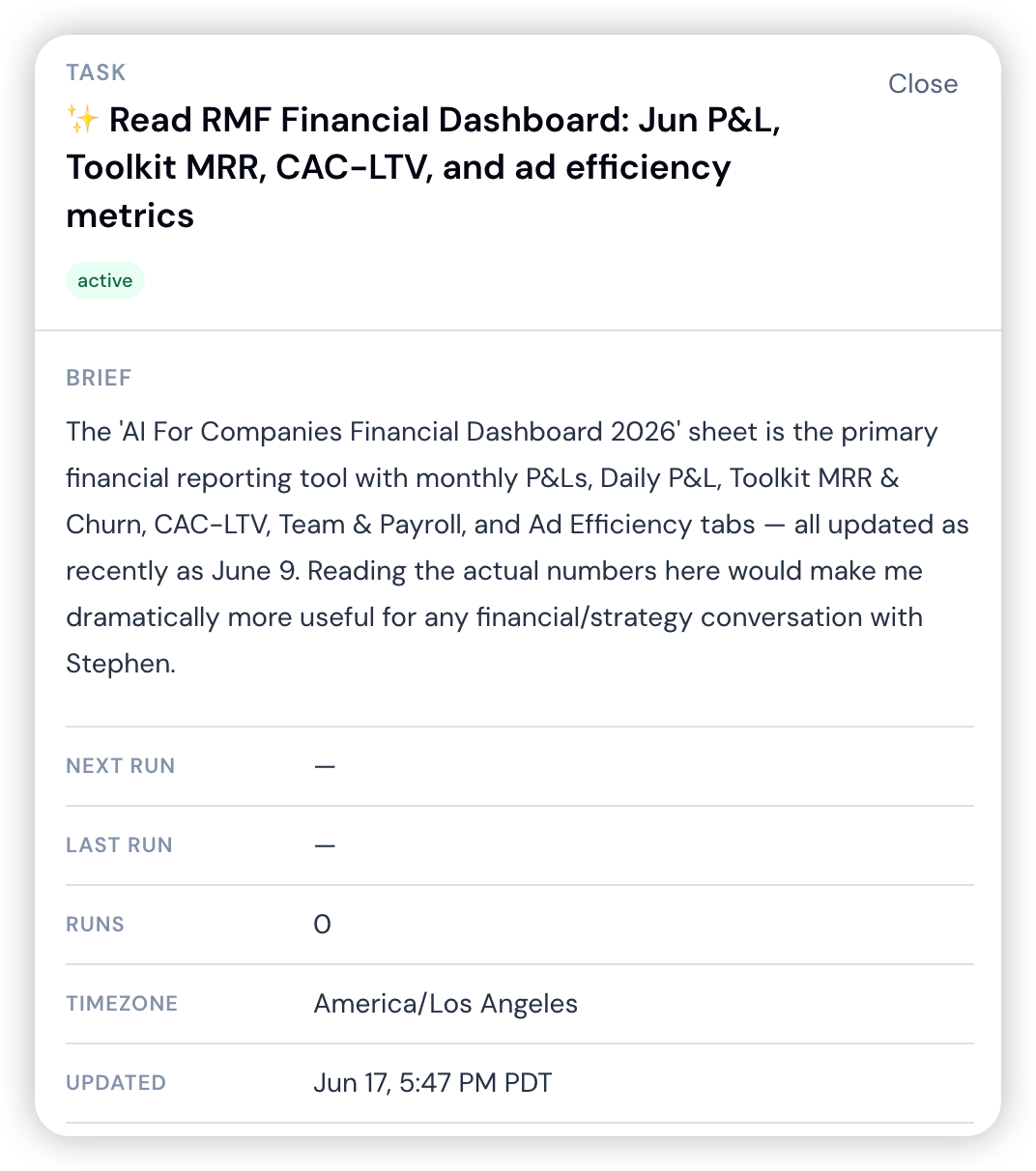
See some ideas of popular scheduled tasks
Week 1 With Sabi (Start Here)
Start simple. Run these three prompts for a few days, get a feel for it, then layer in research and monitoring later.


Library
Upload anything that helps Sabi work like you: copywriting guides, SOPs, brand docs, FAQs. Think of it as uploading info directly to her brain.
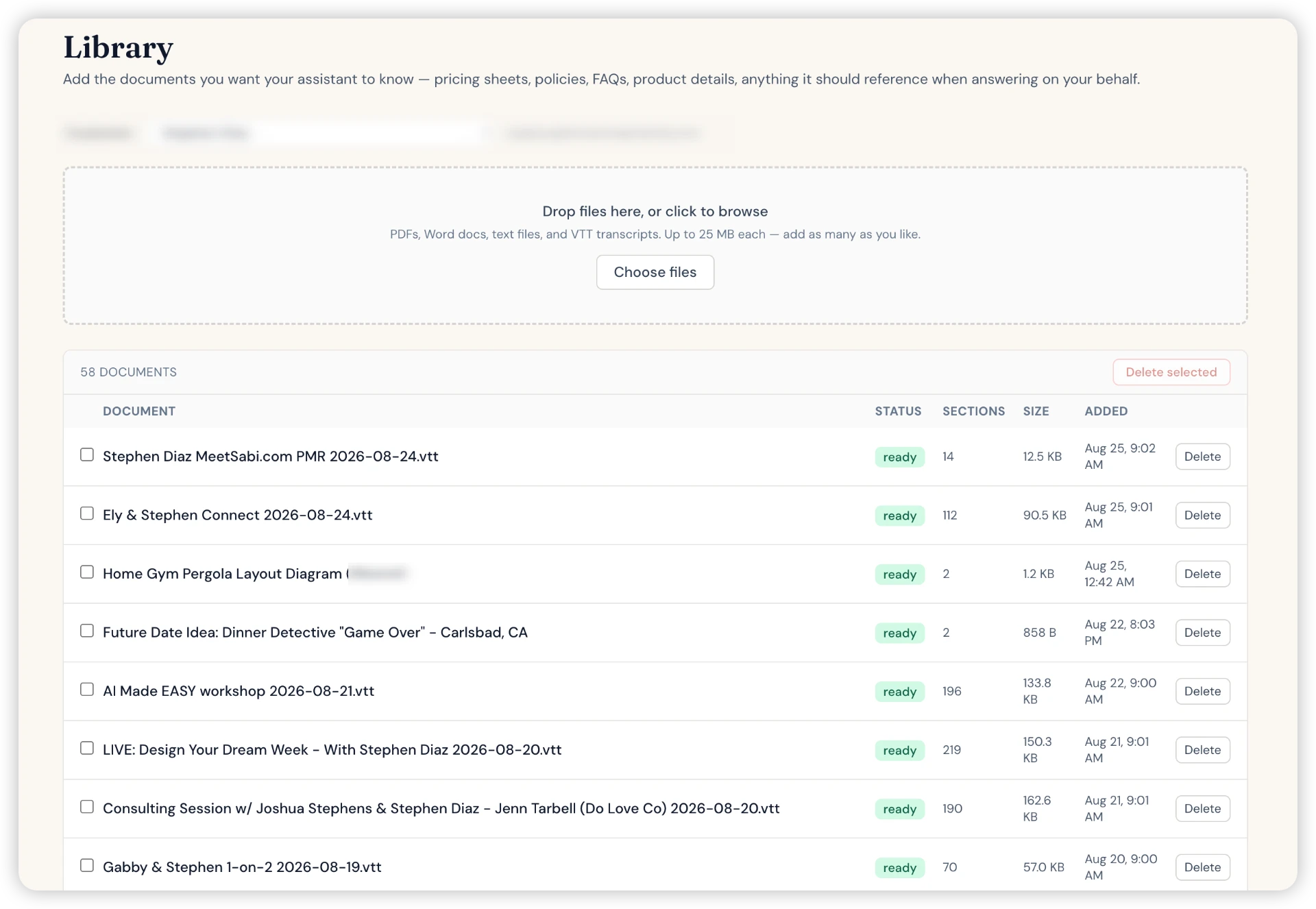
Library
Long-Term Memories
Every day, Sabi learns from your connected tools. She ranks each memory by importance, categorizes it, and stores it for instant recall months later.
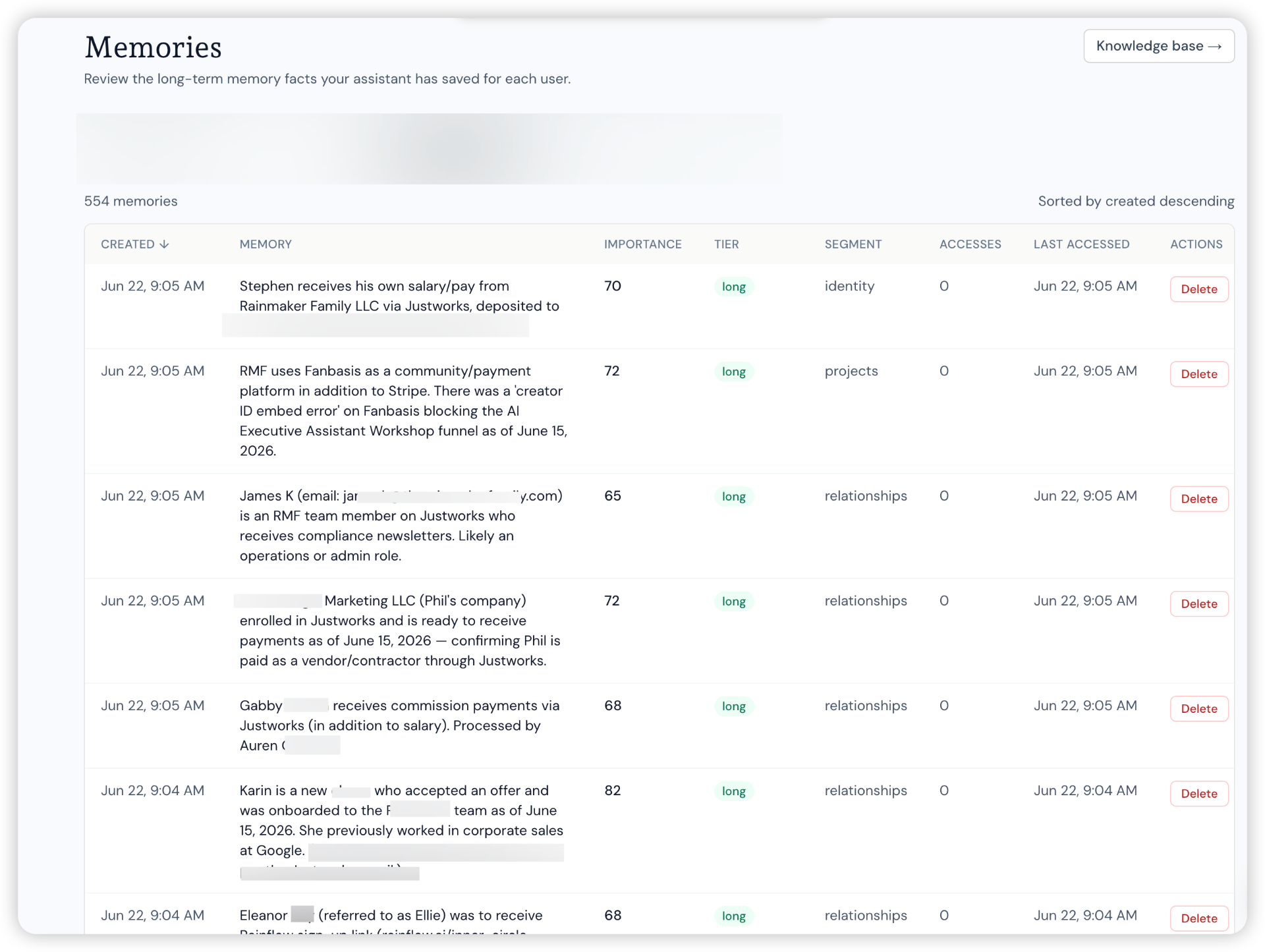
554 memories and counting
Pro tip: treat her like a real assistant
- Be clear about what you want
- Give feedback when something is off
- Adjust how she communicates with you
- She's capable but sometimes forgets. Remind her!
- Keep refining over time
If something breaks
First, ask Sabi to fix herself! She often can! Otherwise, if she's stuck, she'll submit a bug to our team and we'll have her text you when it's fixed!
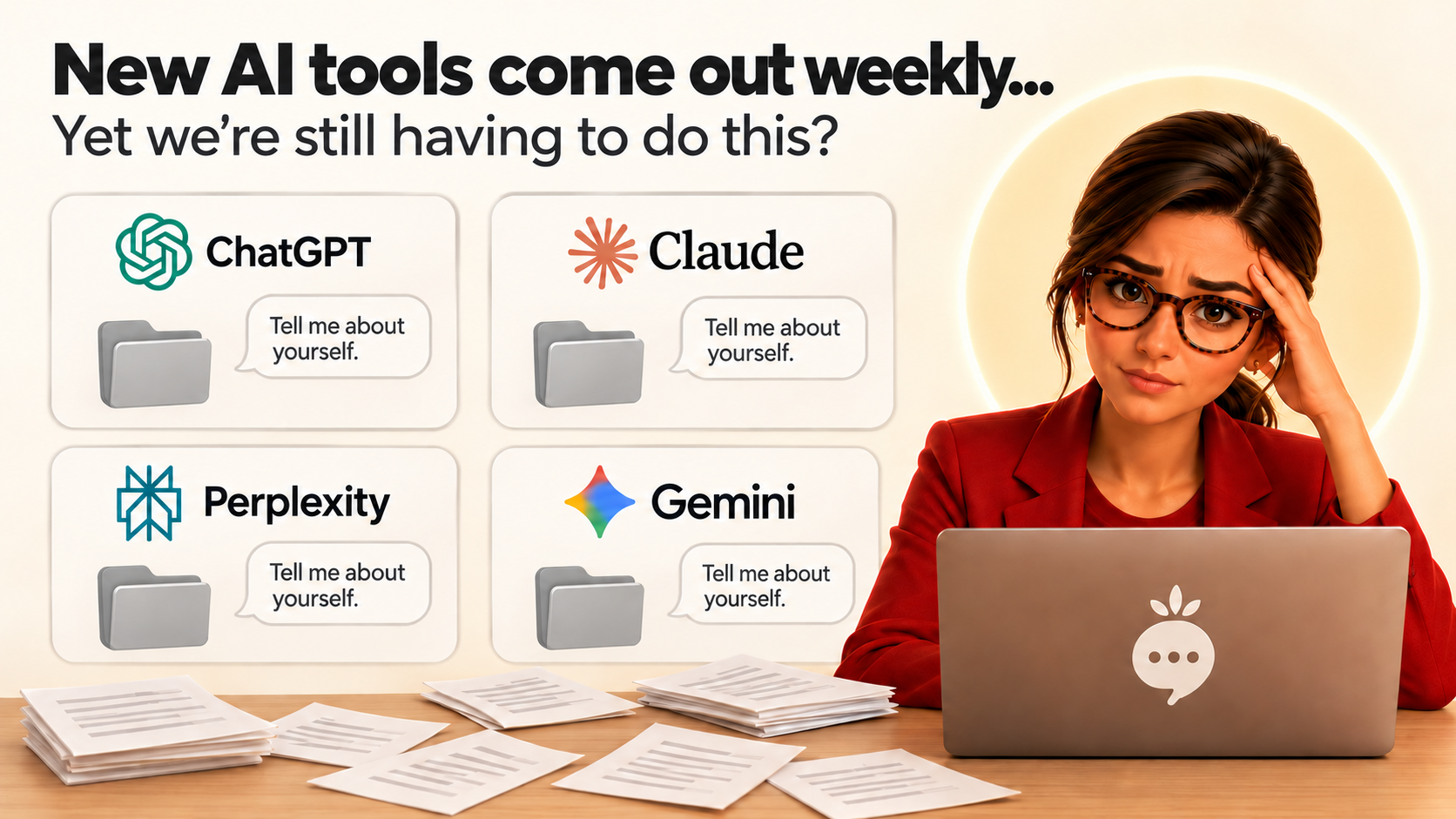
Did we mention Sabi solves one of the biggest problems when using AI right now?
No more starting from scratch with every new tool. Sabi carries your memory with her.



5-Minute Copywriting Workshop
How to avoid AI slop forever and ensure Sabi sounds like you.
Section 1Activate it with a magic phrase
Any of these trigger the flow. They're interchangeable:
"Learn my voice""Learn my brand voice""Write like me""Make this sound like me""Sound like us""Create my voice profile"
Section 2Pick how you want to teach Sabi
Sabi offers three doors in. Easiest first.
Auto-Scrape
Send Sabi a website URL where your writing lives. She reads your homepage, about page, and recent posts. No pasting.
Extract
Paste 3–5 things you've written: emails, social posts, website copy, or documents.
Build
Sabi interviews you with 8–10 quick questions: personality, audience, words you love, words you hate.
Auto-Scrape · deep dive: give Sabi the best URLs to learn from
The richer the source, the sharper your voice profile. Send links where YOU actually wrote the words (not a copywriter, not AI).
- Your homepage + About page (the story in your words)
- A long-form blog post or newsletter you're proud of
- Your LinkedIn profile or personal Twitter/X
- A sales page or product page you wrote
- A podcast transcript page or interview you gave
Pro move: send 2–3 URLs at once. Say "Learn my voice from these three links: [url] [url] [url]."
Extract · deep dive: paste the samples that sound most like YOU
Quality > quantity. 3 great samples beat 20 mediocre ones. Pick pieces where your personality actually came through.
- A long email to a friend or client (not a transactional one)
- Your best-performing social post or LinkedIn write-up
- A voice memo transcript: how you actually talk
- A rant or hot take you'd never let ChatGPT polish
- Skip anything AI-assisted or heavily edited by someone else
Tip: include 1 short + 1 medium + 1 long piece so Sabi learns your rhythm at every length.
Build · deep dive: the interview, what Sabi will ask you
No writing samples needed. Just answer honestly (voice-note your replies if it's easier). Sample questions:
- Who are you writing for? Describe them like a friend.
- Three words a customer would use to describe your vibe?
- Words or phrases you'd NEVER use? ("utilize," "synergy," corporate-speak?)
- Words or phrases you say all the time? Any signature openers?
- Formal or casual? Contractions yes/no? Emojis yes/no?
- Do you write in "I" or "we"?
- Short punchy sentences, or long flowing ones?
- A writer, brand, or creator whose voice you admire?
- What's the FEELING you want readers to walk away with?
- One-liner: what do you do, and for whom?
Tip: answer in voice memos and let Sabi transcribe. The way you TALK is usually closer to your real voice than the way you type.
Section 3What Sabi analyzes: the 6 dimensions
Tone
Warm, sharp, playful, direct
Vocabulary
The words you actually use
Rhythm
Sentence length & pacing
Structure
How you build an argument
Personality
The human behind the words
Point of View
I vs. we
Section 4The Voice Test: the magic moment
Sabi writes 2–3 short samples in your voice (an email opener, a social post) and asks: "Does this sound like you?"
Does this sound like you?
You stay in control. Nothing is saved until you approve.
Note: your voice profile gets better and better over time. The more you use and refine it, the sharper it gets.
Section 5It's saved, and it sticks
✓ Voice locked in
"Your voice is locked into my memory. From now on, everything I write for you will sound like you."
She'll offer to write something in your voice right then to prove it. See it in action in the "memory" section of the Sabi dashboard at meetsabi.com.
Section 6It just works from now on
Every future email, post, or reply Sabi writes automatically uses your voice, and she'll note "Writing this in your voice."
Come back anytime and say "refine my brand voice" to tweak it. No starting over, no duplicates.
Your Quick Wins For Today
MouthText Sabi!
HandsSo she can actually do things for you, not just talk about them. Connect her to your apps & tools
BrainTell Sabi a bit about you. Even sharing your website is enough for her to start building your 2nd Brain.
ScheduleGive her a task to do on a schedule.
Get to know herExplore the dashboard at meetsabi.com, or just ask her: “send me a link to the dashboard.”
StyleUpgrade her writing style so she sounds like you.
Bonus · Create one piece of content with SabiUse Sabi to come up with one piece of content to see how much time she can save. Post your wins in the Community tab in the dashboard.
Bonus · Get ready for tomorrowConnect your calendar of choice for tomorrow's session. It's all about helping reclaim more time.
Tap each one to check it off.
If You Dream It, Sabi Can Probably Do It!
Once you're comfortable, layer in more capabilities one at a time:
Competitor trackingIndustry researchCustomer feedback monitoringTrend analysisMarketing reportsFinancial trackingPartnership outreachAnd much, much more
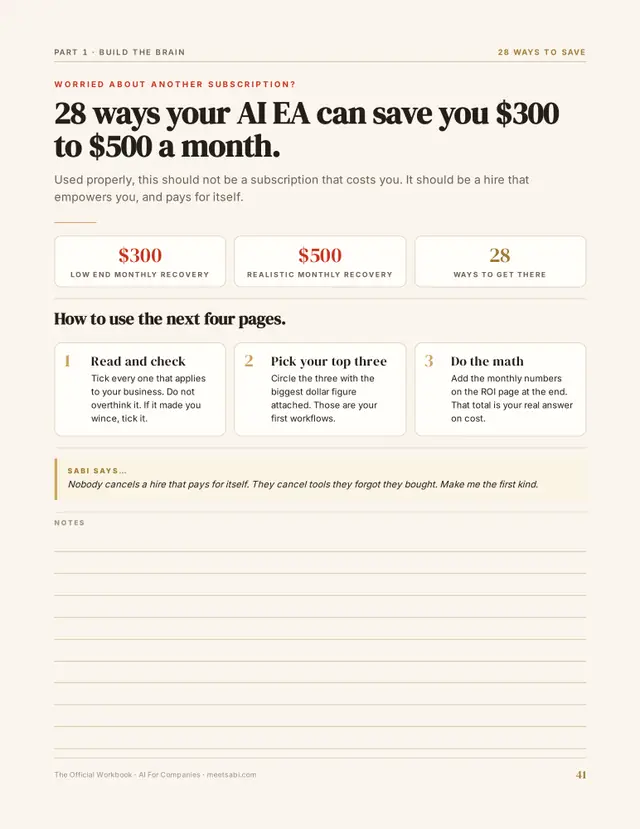
28 Ways Your Assistant Sabi Can Save You $300-500/mo
Used properly, this should not be a subscription that costs you. It should be a HIRE that empowers you (and pays for itself).
- Cancel Useless SubscriptionsYour new assistant Sabi watches your bank and credit card charges. She finds subscriptions you don't use, tells you what to cancel, and with your OK logs in and cancels them for you.
- Chase Late InvoicesChecks for unpaid invoices or failed payments. Sends friendly reminders until the client pays. Humans forget. Sabi never will.
- Stop Wasted Ad SpendLooks at your ad accounts every day. Spots ads spending money but not bringing in sales, and pauses or scales them in your ads manager once you approve.
- Clean Your Email ListChecks who never opens or clicks your emails. Runs a last-chance reactivation campaign, then removes dead leads so you stop paying for them.
- Answer Basic Support QuestionsLearns your FAQs, policies, and past support tickets. Answers simple customer questions and only escalates the tricky ones.
- Send Weekly Numbers ReportsLogs into your dashboards every week, even the ones with no connection yet, and pulls the key numbers: sales, refunds, ad spend, leads. Plain-English summary of what's up, down, and what to fix.
Show all 28 ways
- Pre-Qualify New LeadsReads new form submissions, DMs, or emails from potential clients. Tags who's hot, sends the right reply, routes good leads to your calendar.
- Check If You're Overstaffed or OvertooledConnects to Slack and watches what your team actually does. Points out low-value tasks and unused tools so you can trim or reassign.
- Renegotiate Payment Processing FeesGathers sales volume, fee history, chargeback data. Drafts an email/script to your processor asking for lower rates.
- Switch to Cheaper Annual PlansLooks at your key tools and what you actually use. Finds cases where switching from monthly to annual saves big, and makes the switch in your billing settings when you say go.
- Spot Overlapping Software FeaturesCompares what each of your tools actually does. Flags duplicates and suggests which one to keep.
- Keep Contractors Honest on HoursCompares billed hours with project timelines, tasks, and messages. Surfaces patterns like lots of hours with little progress.
- Protect You From Scope CreepWatches client emails, Slack threads, and project tickets. Flags out-of-scope requests and drafts polite change-order replies.
- Optimize Meeting SchedulesLooks at your calendar and meeting history. Suggests cutting recurring meetings, moving things into focus blocks, or going async.
- Catch Failed Automations Before They Cost YouChecks the run history in Zapier, Make, and your other automations for errors. Alerts you when leads stop syncing or emails stop sending.
- Stop Discount OverkillReviews how often you discount and by how much. Flags when you're giving away too much margin and suggests better options.
- Catch Policy & Contract GotchasWatches for sketchy refunds, big discounts, or weird expenses. Tracks contract renewal dates and turns off auto-renew for you on the things you don't want.
- Find Hidden Money Owed to YouSearches the official unclaimed money sites for your name and business, then starts the claim for you online.
- Claim Old Business Money You Forgot AboutChecks for old bank accounts, unpaid checks, refunds, unused credits. Fills out the claim forms online and drafts the emails to get that money back.
- Sell Stuff You Don't NeedHelps you walk through your space and make a list of sellable items. Writes the listings, suggests prices, and posts them to Marketplace for you.
- Find Quick Cash Offers in Your DataLooks at past buyers, their purchases, and timing. Suggests obvious flash offers or bundles and drafts the campaign.
- Repurpose Your ContentYou upload one main piece: a podcast, YouTube video, or webinar. She turns it into emails, social posts, short video scripts, and schedules it.
- Add Easy Affiliate UpsellsScans your content, emails, and offers. Suggests affiliate products that fit naturally and writes the promo blurbs.
- Guard Your Brand From Bad RepliesDrafts and reviews customer-facing replies across support, social, reviews. Helps you avoid emotional or off-brand responses.
- Prep You for Every Call in 60 SecondsGrabs notes, past emails, and invoices, then browses their website and LinkedIn. Tight briefing with who they are, what they've bought, and what to focus on.
- Auto-Fill Boring Forms and PaperworkPulls common info: name, address, EIN, URLs, bios. Fills out vendor forms, sponsorship apps, and directory listings right on the site. You just review and hit submit.
- Auto-Create SOPs From What You Already DoWatches recurring tasks in your tools and chat. Turns them into simple step-by-step SOPs you can hand off.
- Clean Up Duplicate Contacts and AccountsScans your CRM and email lists for duplicates and messy data. Merges records, fixes names, cleans tags.
Get Sabi Pro For $19 Your First Month
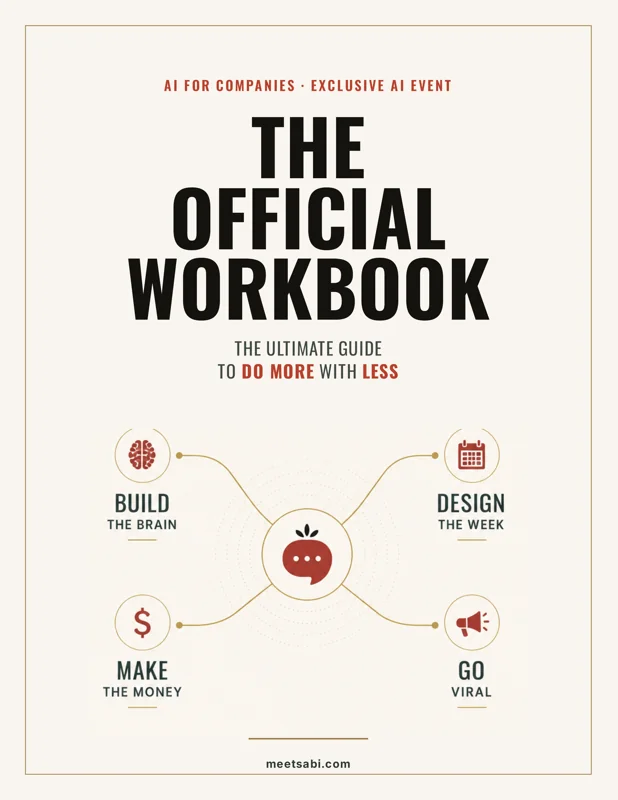
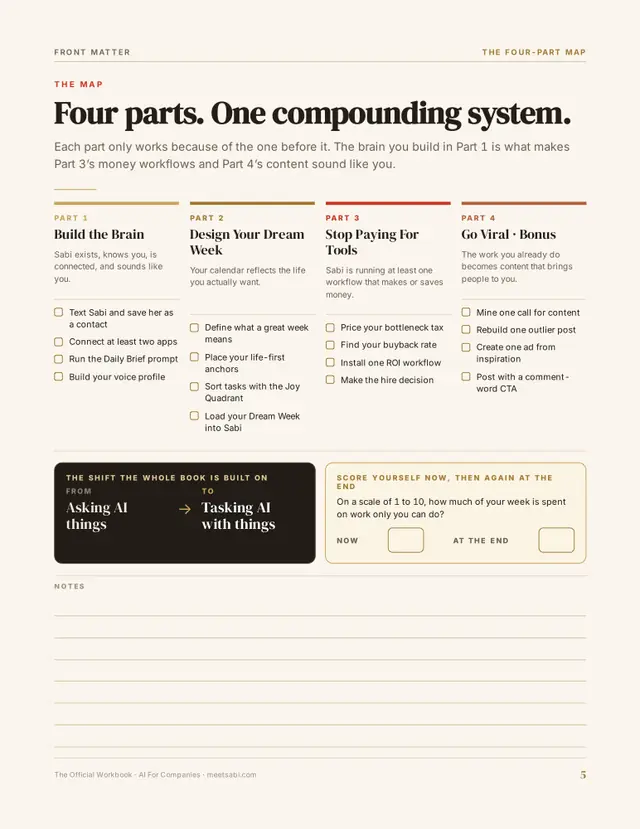
Hire Sabi today and your first month of Sabi Pro is just $19. The official challenge workbook comes free in your Learn tab: all four days, written to be filled in, not skimmed.
$19 for your first month. Cancel anytime. This deal is for today only.


© 2026 Inovo Studios, LLC. All rights reserved.