TikTok Analytics by Text: Sabi Now Connects to TikTok

Posted by
Latest Posts
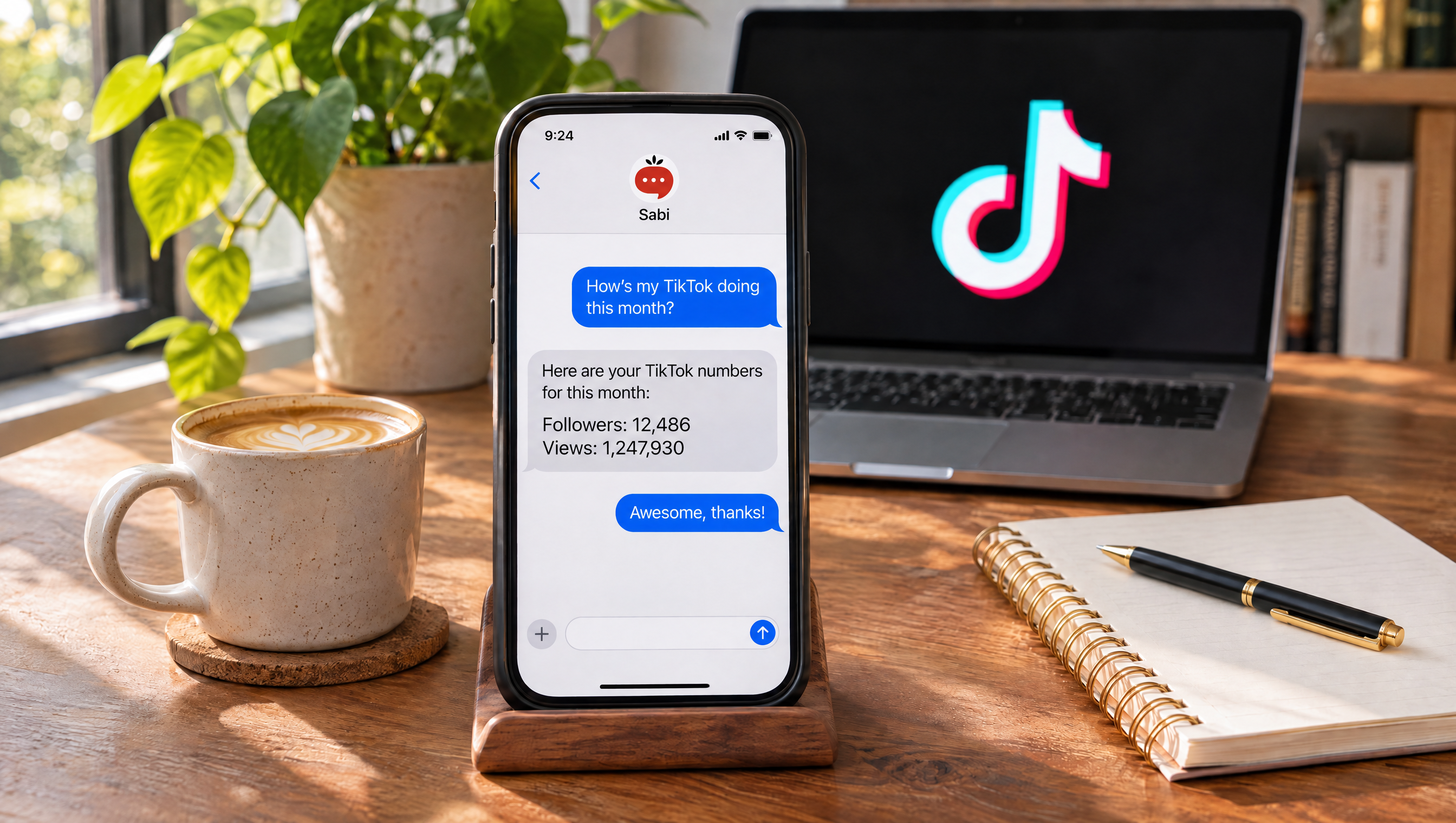
Sabi now connects to TikTok, so you can text her for your follower count, total likes and your top videos by views instead of digging through the app. Connect once, then ask in plain English. It matters because TikTok is now a real channel for small businesses, and checking it shouldn't cost you twenty minutes of tapping.
What can Sabi tell you about your TikTok account?
Sabi reads your TikTok profile, your account totals and every public video you've posted, then answers questions about them in a text or in web chat. You ask "how many followers do I have on TikTok?" and she replies with the number, plus likes, videos and accounts you follow.
Here's what she can read once you connect:
| What you ask about | What Sabi reads |
|---|---|
| Your profile | Display name, username and bio |
| Your account totals | Followers, following, total likes, number of videos |
| Your videos | Title, post date, views, likes, comments, shares and the link to each public video |
Those are the same fields TikTok exposes to approved apps through its official API. TikTok's developer docs list follower_count, following_count, likes_count and video_count as the account stats, and view_count, like_count, comment_count and share_count on every video.
Sabi connects to TikTok through TikTok's official sign-in, so she reads your profile, follower count, likes and per-video views without you ever sharing your password.
Why check TikTok stats by text instead of in the app?
Texting Sabi is faster because one question replaces five screens, and she looks across all your public videos at once instead of the window the app happens to show. You don't have to remember where TikTok moved the analytics tab this month.
TikTok is not a side channel anymore. Pew Research Center found that 37% of U.S. adults use TikTok, up from 21% in 2021. If your customers are there, your content is part of how they find you, and you need to know what's working.
The built-in dashboard is useful, but it's built for scrolling, not for answers. Later's guide to the native tools notes they show up to 60 days of data for video performance and follower growth. When your best video is two years old, a 60-day view won't surface it.
Asking Sabi "what are my top 3 TikTok videos by views?" ranks every public video on your account, not just the last 60 days, and replies with the view counts and links.
How do you find your top TikTok videos by views?
Text Sabi "what are my top 3 TikTok videos by views?" and she lists them in order with view counts, likes, comments, shares and a link to each one. She reads your full public video list page by page before she ranks anything, so an older hit doesn't get missed.
When we tested this on my own account, Sabi went through all 100 of my public videos and named the top three in under a minute. Two of the three were flight school clips from 2021, not the business content I'd assumed was doing best. That's the kind of thing you only learn when someone looks at everything.
You can ask follow-ups in the same thread:
- "Which of those got the most comments?"
- "How many views did my last 5 videos get?"
- "What's my average views per video this year?"
Sabi reads up to 200 of your most recent public TikTok videos in one request, so "top videos" means your whole recent catalog, not a sample of the newest few.
What should you text Sabi about your TikTok?
Start with the questions you'd ask a social media manager on a Monday morning. Sabi answers each one from your live TikTok numbers, so the reply is current, not a guess.
| Text this | What you get back |
|---|---|
| "What's my TikTok profile?" | Display name, username and bio |
| "How many followers do I have on TikTok?" | Followers, following, total likes and video count |
| "What are my top 3 TikTok videos by views?" | Ranked list with views, likes, comments, shares and links |
| "Which of my TikToks got the most comments?" | The video that sparked the most conversation |
| "How did my last 5 TikToks do?" | Views and engagement on your most recent posts |
Sabi turns five common TikTok analytics questions into one-line texts, each answered from your current public numbers with a link to the video.
What is the Top 3 Pattern Check?
The Top 3 Pattern Check is a 5-minute monthly habit: ask Sabi for your top 3 TikTok videos by views, find what they share, and make your next three videos on that pattern. It turns analytics into a content plan instead of a report you skim.
Look for one of three patterns in your top three:
- Same topic. All three are about one subject your audience cares about.
- Same format. All three are tutorials, or behind-the-scenes, or a quick tip.
- Same hook. All three open with a question, a number or a strong claim.
If two of three share a pattern, that's your signal. If none do, ask Sabi for your top 10 and look again.
The Top 3 Pattern Check works because your best three videos already tell you what your audience rewards; the job is to notice the pattern and repeat it on purpose.
How to connect TikTok to Sabi: step by step
Connecting takes about a minute and uses TikTok's own sign-in screen.
- Open Connections. Go to meetsabi.com/connections and sign in.
- Add TikTok. Tap New connection, search "TikTok" and tap the tile.
- Approve on TikTok. TikTok shows a permission screen for Sabi. Check it's your account, then tap Authorize.
- Confirm it's connected. You're back on Connections with TikTok listed as connected.
- Ask your first question. Text Sabi or open Chat and try "What's my TikTok profile?" or "How many followers do I have on TikTok?"
To disconnect later, go to Connections, tap TikTok and choose Disconnect. You can also remove access from inside TikTok: Privacy International's guide walks through Settings and privacy, then Security and permissions, then Apps and services permissions, then Remove access.
Connecting TikTok to Sabi is a one-time, one-minute sign-in through TikTok itself, and you can remove her access from Sabi or from TikTok at any time.
What can't Sabi do on TikTok yet?
Sabi can't post to TikTok yet; today she only reads your account. She also only sees public videos, because TikTok's video list for apps returns the user's public TikTok video posts, so private, friends-only and draft videos won't appear.
A few other honest limits:
- No DMs. Sabi can't read or send TikTok messages.
- No TikTok Shop. Orders and products in TikTok Shop aren't connected.
- No audience demographics. Age, location and gender breakdowns stay in TikTok's own analytics.
- One account per connection. If you run two TikTok accounts, connect the one you want Sabi to report on.
Posting is the most requested next step, and we'd rather ship it right than ship it fast. For now, Sabi can still write your captions and hooks so they're ready when you post. That fits with the rest of Sabi's social media features.
Today Sabi's TikTok connection is read-only: profile, account totals and public video stats; posting, DMs, TikTok Shop and demographics are not included yet.
Common mistakes when checking TikTok analytics
-
Judging by your newest video. One slow video tells you almost nothing. Rank everything by views and look at the top, not the latest.
-
Chasing follower count. Followers lag behind what's working. Views, comments and shares on individual videos tell you what to make next.
-
Only looking at the last 60 days. Your best-performing idea might be from last year. A full ranking shows patterns a short window hides.
-
Checking without deciding. Looking at stats feels productive, but the value is the next video you make. End every check with one change, like the Top 3 Pattern Check.
FAQ
Q: Can Sabi post videos to TikTok for me? A: Not yet. Sabi's TikTok connection is read-only today: she reads your profile, account totals and public video stats. She can write captions and hooks you post yourself.
Q: Does Sabi see my private or draft TikTok videos? A: No. TikTok only shares public videos with connected apps, so private, friends-only and draft videos never reach Sabi. Rankings and counts cover your public posts.
Q: Do I need a TikTok business account to connect? A: No. You sign in with the TikTok account you use and approve Sabi on TikTok's permission screen. Sabi reads what that account has posted publicly.
Q: How do I disconnect TikTok from Sabi? A: Go to Connections on meetsabi.com, tap TikTok and choose Disconnect. You can also remove Sabi in TikTok under Settings and privacy, then Security and permissions, then Apps and services permissions.
Q: How many TikTok videos can Sabi look at? A: Up to 200 of your most recent public videos in one request. If you've posted more than that, she tells you there are more and can keep going.
TL;DR
- Sabi now connects to TikTok through TikTok's official sign-in; no password sharing.
- Text her for your profile, followers, likes, video count and top videos by views, with links.
- She ranks up to 200 recent public videos at once, not just the last 60 days.
- Use the Top 3 Pattern Check monthly: top 3 by views, find the shared pattern, make three more.
- Read-only for now: no posting, DMs, TikTok Shop or demographics yet.
Want your TikTok numbers in a text instead of five screens of taps? Meet Sabi and get set up in about 60 seconds, then connect TikTok and ask for your top three.