How to Get Bank Transactions Into Google Sheets Automatically

Posted by
Latest Posts
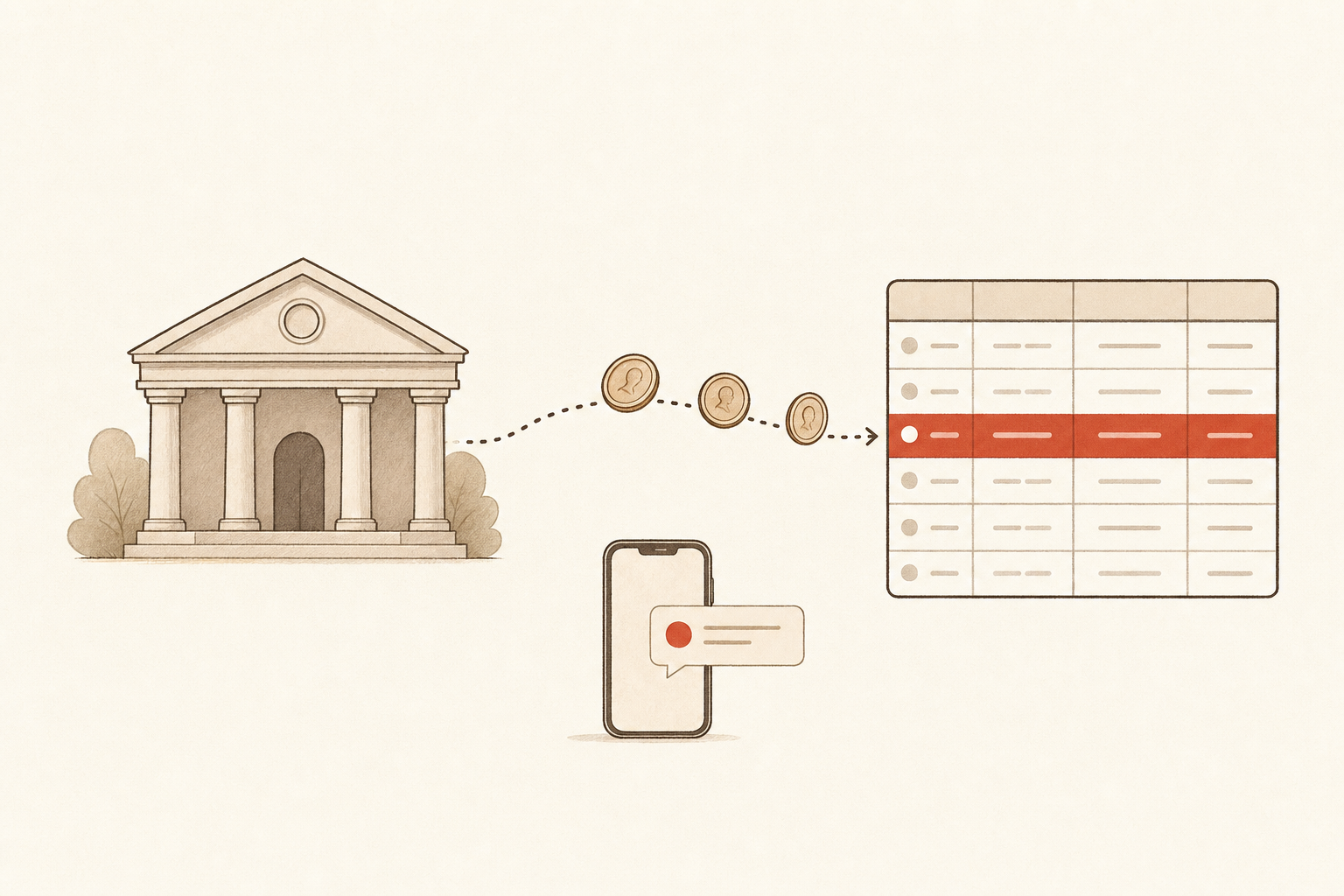
The simplest way to get bank transactions into Google Sheets automatically is to connect your bank to Sabi through Plaid and text her to build a tracker that refreshes itself every morning. No Marketplace add-on, no CSV downloads, no script. As of September 2026 this works for most US banks Plaid connects to. I replaced a $50/mo Fintable subscription with 7 text messages to Sabi, the easiest to use AI Executive Assistant for business owners.
Once the data is in a sheet, everything else gets easy. A CEO dashboard, a subscription audit, a cash-flow forecast, a personal budget: they're all formulas on top of two tabs that fill themselves.
Can Google Sheets pull bank transactions automatically on its own?
No. Google Sheets has no bank connection built in, so every automatic feed comes from something outside the sheet. Bricks' guide to linking a bank account to Google Sheets lays out the three usual routes. A dedicated add-on, which "most high-quality" versions charge a monthly or annual fee for. An automation platform like Zapier, where "setup is more involved." Or a Google Apps Script, which it calls "highly complex" and "not recommended for beginners."
All three do the same job underneath: they use a bank-data service (almost always Plaid) to read your transactions and write rows into a sheet on a schedule. The difference is who runs the schedule and how much you have to set up.
Sabi is a fourth (and honestly SO much easier) alternative. She already has the Plaid connection and the Google Sheets connection, so the "add-on" is a text message: you tell her what the sheet should look like and when to refresh it, and she does both.
How does Sabi get bank data into a spreadsheet?
Two connections and one daily task. You link your bank on Sabi's Connections page through Plaid, you connect Google Sheets the same way, and then you text her the sheet you want. She reads balances and transactions from Plaid, writes them into the tabs you named, and runs the same refresh every morning at whatever time you pick.
I call the result the Two-Tab Tracker: one Balances tab (one row per account, with current and available balance) and one Transactions tab (one row per transaction, with a Transaction ID so nothing gets written twice). Business and personal each get their own pair, so four tabs total. Everything you build later reads from those two shapes, which is why the column layout matters more than anything else in this guide.
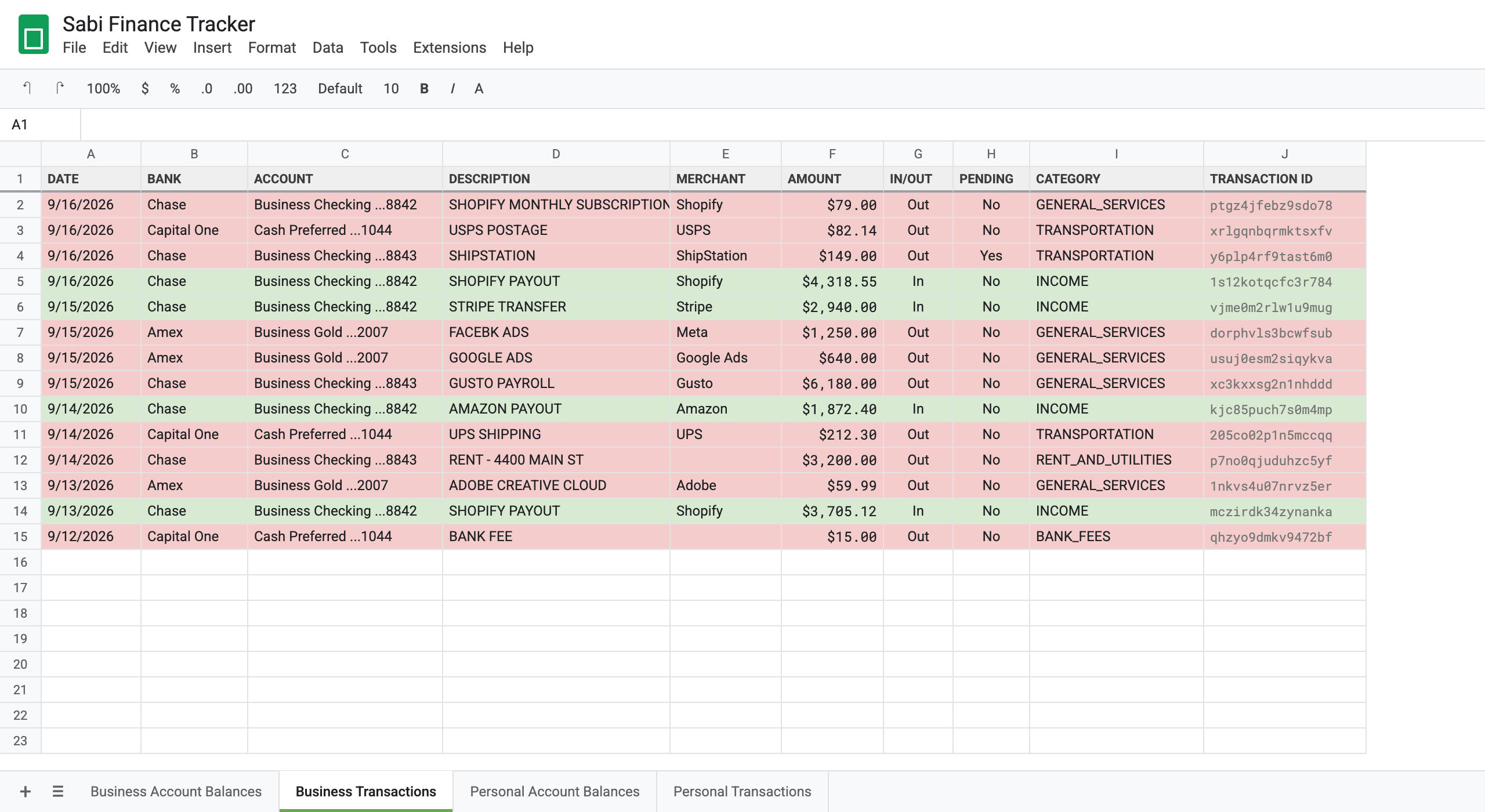
I set mine up this week: 5 banks, 4 tabs, and a refresh that runs at 4am Pacific. The setup was one text per tab, and the transactions came in colored green for money in and red for money out.
A Two-Tab Tracker refreshed by Sabi turns "download the CSV again" into a sheet that is already current when you sit down.
Is it safe to connect your bank through Plaid?
Yes, with the usual caveat that you should trust the app on the other end. Plaid is the connection layer behind Venmo, Robinhood and Chime. Plaid's own page puts it at "9,000+ apps and services" and "12,000+ institutions," and states "no credential storage, ever": you sign in with your bank, and the app you're connecting never sees your password.
Norton's June 2025 review, Is Plaid safe?, makes the point that matters for a spreadsheet: "Plaid grants apps read-only access to your financial data. This means they can view the necessary information, but can't make changes or initiate transfers." That's true of Sabi too. She can read balances and transactions. She cannot move money, pay anything, or change a setting at your bank.
You pick which accounts to share when you connect, and you can disconnect a bank on the Connections page or in the Plaid Portal at any time.
Plaid gives Sabi read-only access to the accounts you choose, and your bank login never touches Sabi.
What does it cost compared with Tiller or a Sheets add-on?
The going rate for a bank-to-sheet feed runs from $99 a year to $50 a month, on top of the spreadsheet you still build yourself. Tiller is $99 a year after a 30-day trial. Tools like Fintable are $50 a month for this same capability. Both are solid, and both stop at the feed: the categorizing, the formatting, and anything you build on top are still your job.
The bigger difference isn't price. Tiller and Fintable do one thing: move bank rows into a sheet. Sabi can take this task and 1,000 others off your plate as a busy founder. She reads your inbox, follows up on leads, books your calendar, drafts in your voice, and builds this tracker in the same afternoon. She's not a tool. She's a hire on your org chart.
So with Sabi the feed is part of what she already does. There's no separate add-on fee, and she's the one building the tabs, formatting the rows and, later, the dashboard on top. Pricing changes with each founding-member window, so text Sabi for today's pricing.
Two honest limits. Sabi's bank connection covers US institutions today. And she refreshes on a schedule, not in real time. Once a day is right for almost everyone. If you need a transaction in the sheet the minute it posts, a feed that syncs every 15 minutes is a better fit.
How to set up the tracker: step by step
Send one message at a time and wait for Sabi to finish before the next. Replace the parts in brackets with your own account names from Step 1.
- Connect your banks. Open app.meetsabi.com/connections, tap the Plaid tile, and link each bank. Then text:
Which bank accounts do I have connected through Plaid? List each with the bank, account name, type and last 4.Screenshot her answer. You'll use those names in every step below. - Create the sheet.
Create a Google Sheet called "Sabi Finance Tracker" with 4 tabs: Business Account Balances, Business Transactions, Personal Account Balances, Personal Transactions. Send me the link. - Fill in balances.
Pull the balances for all my connected Plaid accounts. Write my business accounts ([list]) to the Business Account Balances tab and my personal accounts ([list]) to the Personal Account Balances tab. Columns: Account Name, Last 4, Institution, Type, Current Balance, Available Balance, Last Updated. Type must be one of: Checking, Savings, Credit, Line of Credit. Format the balance columns as currency. - Load your business transactions.
Pull the last 24 hours of transactions from my business accounts ([list]) into the Business Transactions tab. Columns: Date, Bank, Account, Description, Merchant, Amount, In/Out, Pending (Yes or No), Category, Transaction ID. Amount is always a positive number and In/Out says the direction. Color the rows light green when In/Out is In and light red when it's Out, and make that automatic for new rows. - Same for personal.
Do the same for my personal accounts ([list]) into the Personal Transactions tab. Same columns, same coloring.Skip this if you only track business. - Check the sheet. Every account on a Balances tab, none on both. Amounts positive. Transaction ID filled on every row. Fix anything by telling her what you see: "Move the Chase card rows to Personal Transactions."
- Set the daily refresh.
Set up a daily task at 4am with this brief: Refresh my Sabi Finance Tracker: [sheet link]. 1) Pull the last 24 hours of Plaid transactions across all my accounts. 2) Append business accounts ([list]) to the Business Transactions tab and personal accounts ([list]) to the Personal Transactions tab, using the same columns as the existing rows. Skip any transaction whose Transaction ID is already in that tab. 3) Look back 10 days at rows where Pending is Yes and change it to No if Plaid shows them posted. 4) Rewrite the Current Balance, Available Balance and Last Updated columns on both Balances tabs. 5) Text me a one-line summary and tell me if any bank needs reconnecting.
Tomorrow morning, open the sheet. New rows at the bottom, Last Updated shows today, no duplicates. From then on it runs without you.
What can you build once your transactions are in a sheet?
This is the part I care about. The tracker on its own is just a cleaner bank statement. Its value is that every AI tool you use, Sabi included, can now see your money and act on it. A few things you can text her for once the tabs are filling:
- A CEO dashboard. "Build my CEO dashboard from my Sabi Finance Tracker." One tab with operating cash, credit debt, runway, this month's revenue and spend, and red, yellow and green KPI guardrails. Every cell is a formula against the Two-Tab Tracker, so it updates with the 4am refresh. Our Google Sheets formatting guide shows what the styled version looks like.
- A subscription audit. "List every merchant that charged me the same amount in two of the last three months." Recurring charges fall out of the Transactions tab in seconds. Most people find at least one they forgot.
- An ad-spend tracker. "Sum every Meta, Google Ads and TikTok charge this month and compare it to last month." Ad spend as a percent of revenue is the KPI most founders watch and few can compute without an accountant.
- A cash-flow forecast. With 60 to 90 days of rows, "What's my average weekly cash out, and how many weeks does my current balance cover?" is a question she can answer from the sheet.
- Tax prep. "Filter the Business Transactions tab to Category = TRAVEL for this year and total it." Your accountant gets a list instead of a shoebox.
- A personal budget that fills itself. The Personal tabs are a budget template that never needs data entry. "How much did I spend on restaurants last month?" is one text.
- Alerts. "Text me if any account drops under $5,000" or "Tell me when a charge over $2,000 hits." Sabi checks the sheet on a schedule and texts you only when it matters.
Once bank data lives in a Google Sheet, an AI assistant can answer any money question you'd ask a bookkeeper, from one text.
Common mistakes when syncing bank transactions to Google Sheets
- Skipping the Transaction ID column. Without it, a daily refresh can't tell a new transaction from one it already wrote, and you get duplicates within a week. Keep the column even though you'll never read it.
- Writing signed amounts. Plaid reports money out as a positive number and money in as a negative one. If the sheet copies that, every formula on top needs a sign flip. Store the amount as positive and keep direction in its own In/Out column.
- Mixing business and personal in one tab. It feels simpler on day one and breaks every business formula on day two. Separate tabs, and tell Sabi which accounts belong where.
- Free-typing the Type column. "checking" and "Checking" match in Sheets, but "depository" and "Checking" don't. Fix the four Type values once and every dashboard formula works.
- Automating before checking. Run the first pull by hand, open the sheet, and look. A daily task that writes to the wrong tab is worse than no task.
FAQ
Q: Can I connect my bank to Google Sheets for free? A: Not for an automatic daily feed. Google Sheets has no bank connection built in, and the services that add one charge for it: Tiller is $99 a year, Fintable $50 a month. Sabi includes the feed with everything else she does, so there's no separate add-on cost, but Sabi herself is a paid assistant.
Q: Does Plaid let Sabi move money or pay bills? A: No. The connection is read-only. Sabi can see balances and transactions for the accounts you chose to share, and nothing else. You can disconnect a bank at any time.
Q: How often does the sheet update? A: As often as you tell her, and once a day at 4am is the default in this guide. Balances are refreshed every run. Transactions that were pending get re-checked for 10 days so their status flips to posted when the bank clears them.
Q: Does this work as a Google Sheets business expenses template? A: Yes. The Business Transactions tab is a business expense tracker with a live feed: date, merchant, amount, category and a Business column if you run more than one company. Add a "Tag" dropdown and a SUMIF on a summary tab and you have monthly totals by category without typing a number.
Q: Does this work outside the US? A: Not yet. Sabi's Plaid connection is set up for US banks today. Google Sheets itself works anywhere, so the tracker layout still applies if you feed it another way.
Q: What if a bank disconnects? A: Banks occasionally ask you to re-authorize. The daily refresh tells you which bank needs reconnecting in its morning text, and you re-link it on the Connections page. The rows already in the sheet stay put.
TL;DR
- Google Sheets has no built-in bank sync, so every automatic feed runs through a service like Plaid.
- Sabi gets bank transactions into Google Sheets automatically with two connections (Plaid and Sheets) and one daily task, set up with seven text messages.
- The Two-Tab Tracker is a Balances tab plus a Transactions tab per side of your life, with a Transaction ID column to stop duplicates.
- Plaid access is read-only; Sabi can see your money and cannot move it.
- Tiller ($99 a year) and Fintable ($50 a month) do one thing; Sabi does this and 1,000 other tasks, and builds the tabs and the dashboard on top.
- Once the rows exist, a CEO dashboard, a subscription audit, ad-spend tracking, tax prep and low-balance alerts are each one text away.
Want your bank data in a sheet by tomorrow morning? Meet Sabi at meetsabi.com/connect, connect a bank, and send her Step 1.